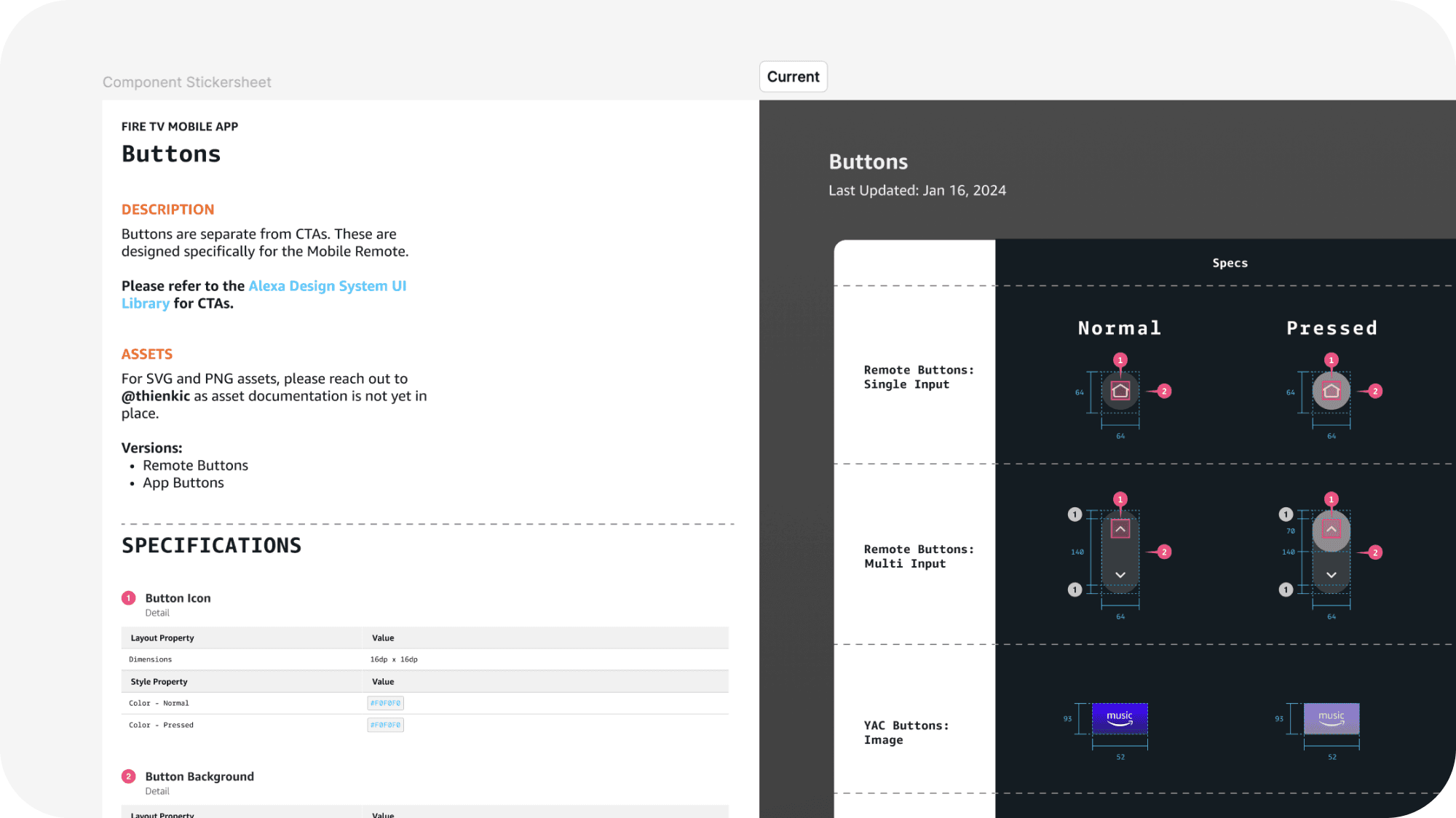
Fire TV Mobile App
Virtual Remote UI Redesign
Don’t search your couch for the Fire TV remote — there’s a virtual one! As the UX visual design owner in this version’s redesign, I modernized core experiences to optimize access to content, integrated Alexa’s voice capabilities, and built scalable design documentation.
Timeline
Fall 2023
Role
Lead UX Visual Designer
Overview
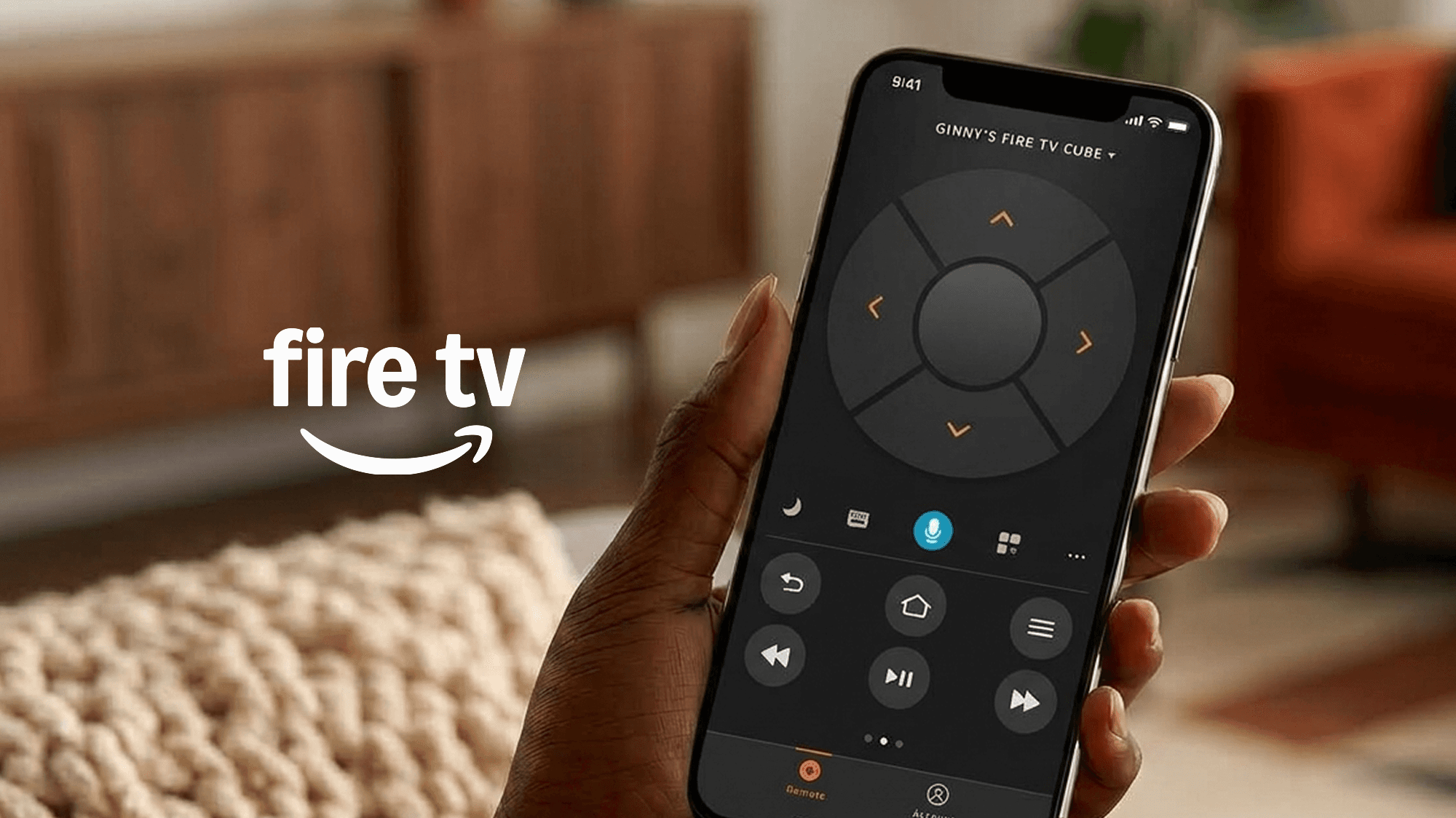
The Fire TV Mobile app serves primarily as a virtual alternative to the physical Fire TV remote. Built for both iOS and Android users, the mobile app also offers shortcuts through the Fire TV experience that are typically limited through hardware.
With the launch of Fire TV’s new interface in 2020, the mobile app needed to catch up to the visual design bar and upgrade its functionality to align with integration of Alexa’s voice capabilities. There was also a calling to be more similar to the remote hardware itself. This release consisted of:
A redesigned virtual remote interface, a new design system library, and revisited interactions for optimizing actions parallel to the TV.
Created:
10
Unique new components
Shipped:
5
Revised mobile features
Impacted:
1+ MM
Fire TV users globally
The Fire TV Remote
A brief breakdown of the opportunities and constraints.
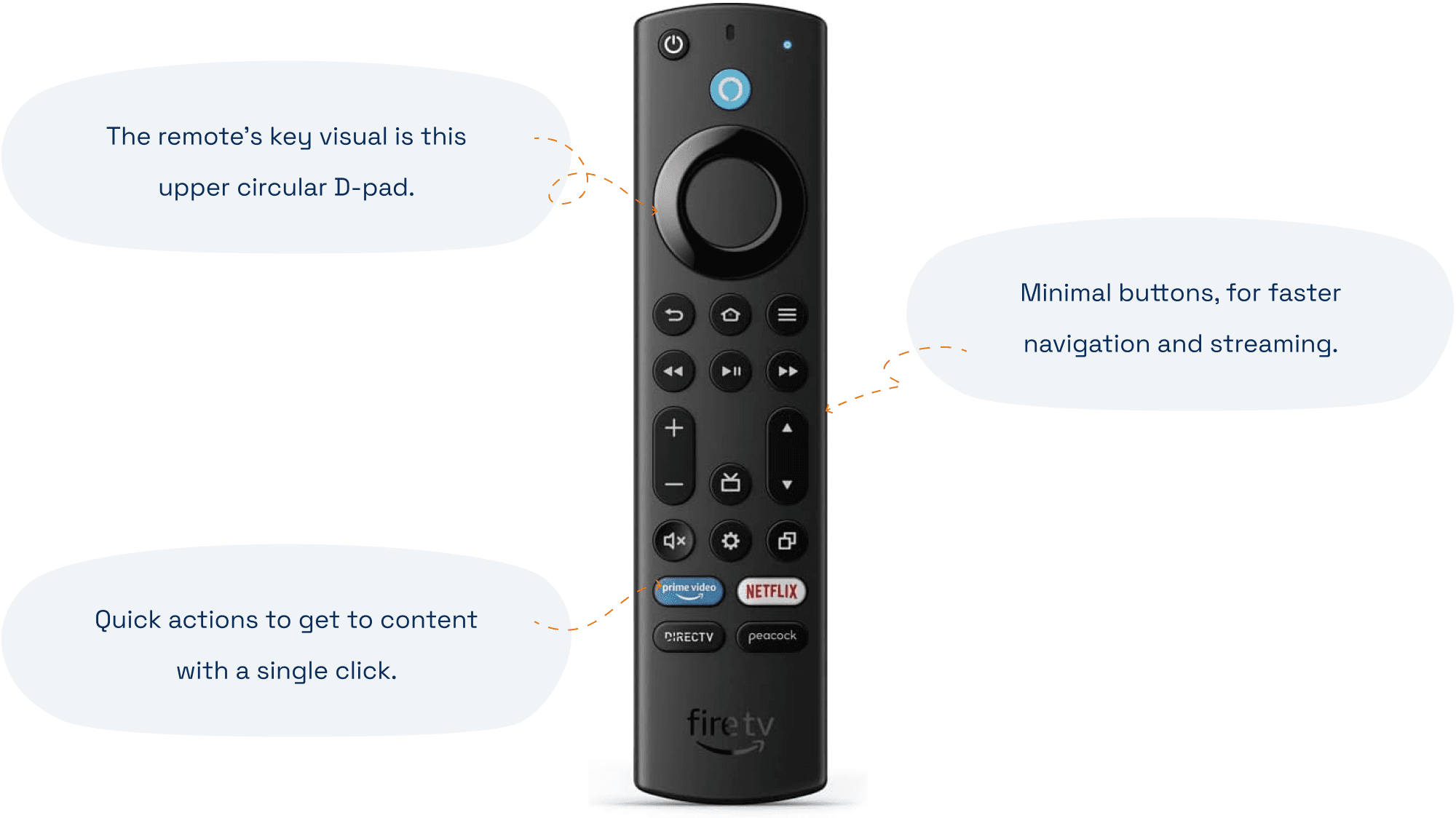
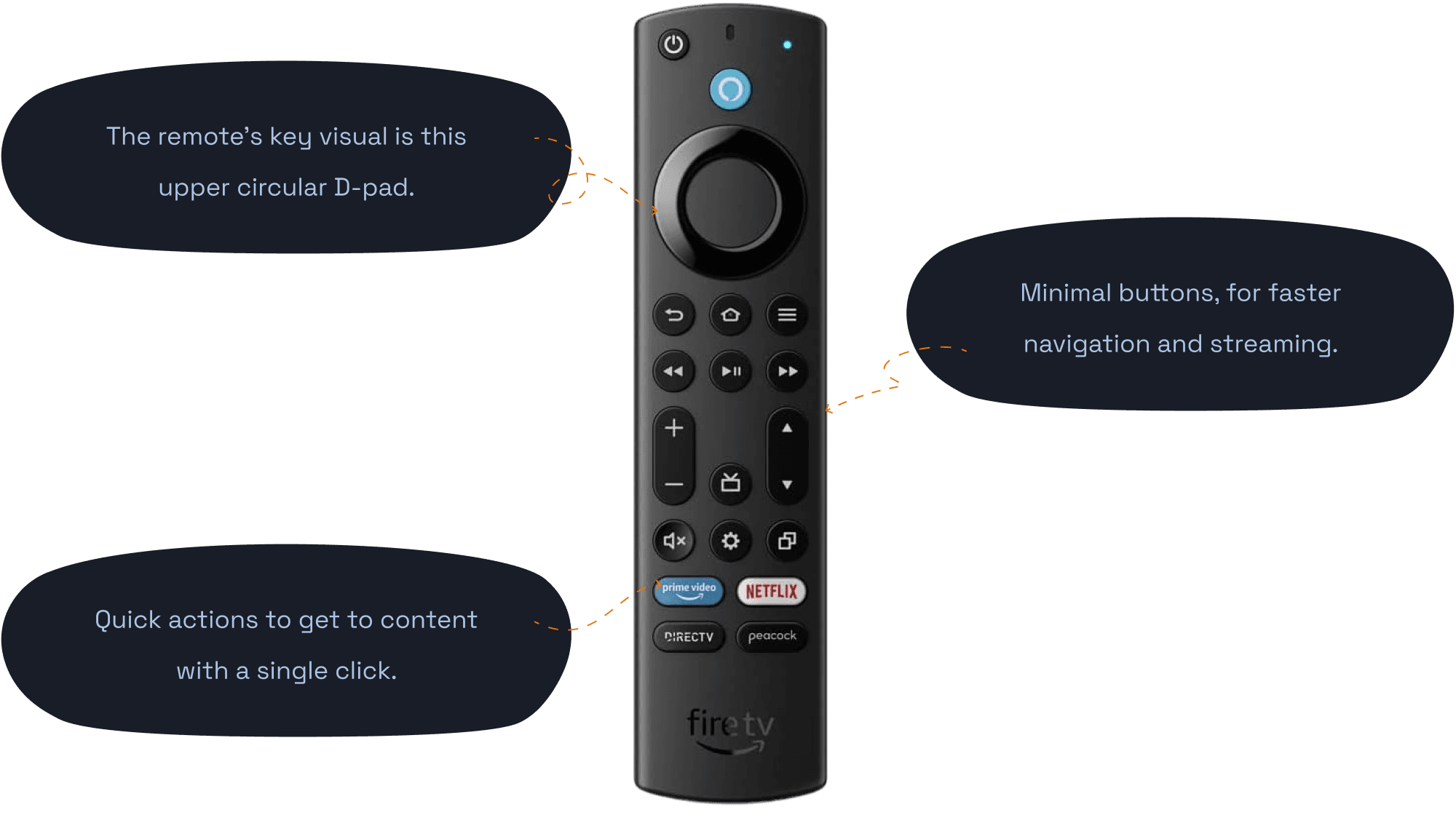
The largest priority of this version’s redesign was updating the visual language to match the newest Fire TV visual language, and looking for opportunities to align with the physical remote design decisions. I wanted the mental models to work cross-physicality, while decreasing time spent searching and increasing time spent streaming. If we breakdown the remote into it’s most distinct parts:
Fire TV & the Alexa Mobile App
In addition, a glaring problem I wanted to address for devices was the lack of visual consistency across similar endpoints. While Fire TV UI is unique on it’s own as television, I wanted to ensure that our mobile app retained consistency with our other Alexa products of the same kind — specifically, the Alexa Mobile App.
Working horizontally across both Fire TV and the Alexa Endpoints Team, I owned scaling both languages across iOS, iPad, Android phones, and Android tablets for the Fire TV Mobile App. It was a juggle between two different design languages from two types of devices.
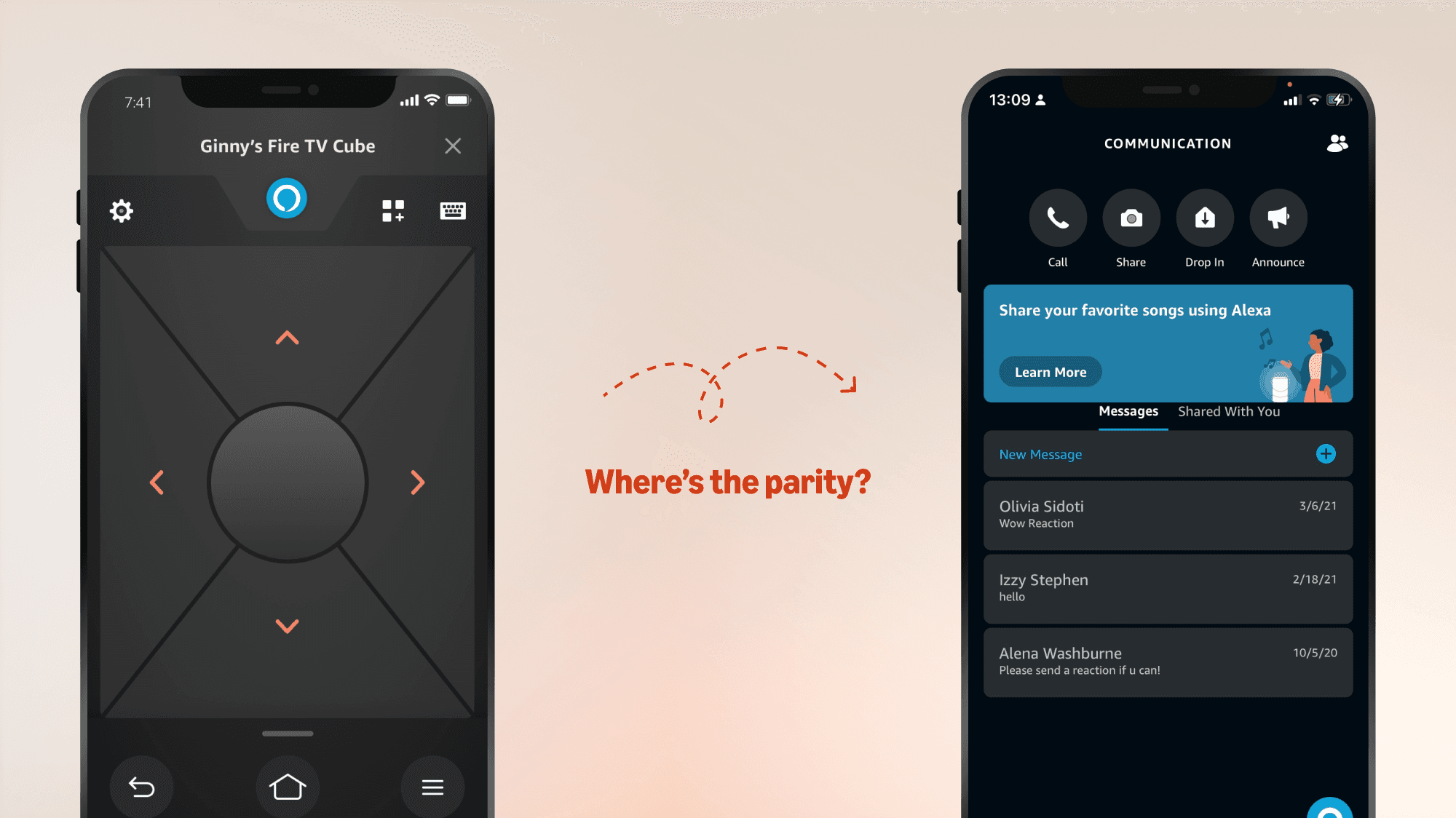
Optimizing Natural Mobile Interactions: By taking advantage of the touch screen, physical hardware patterns are made easier on a mobile phone.
Main differences included:

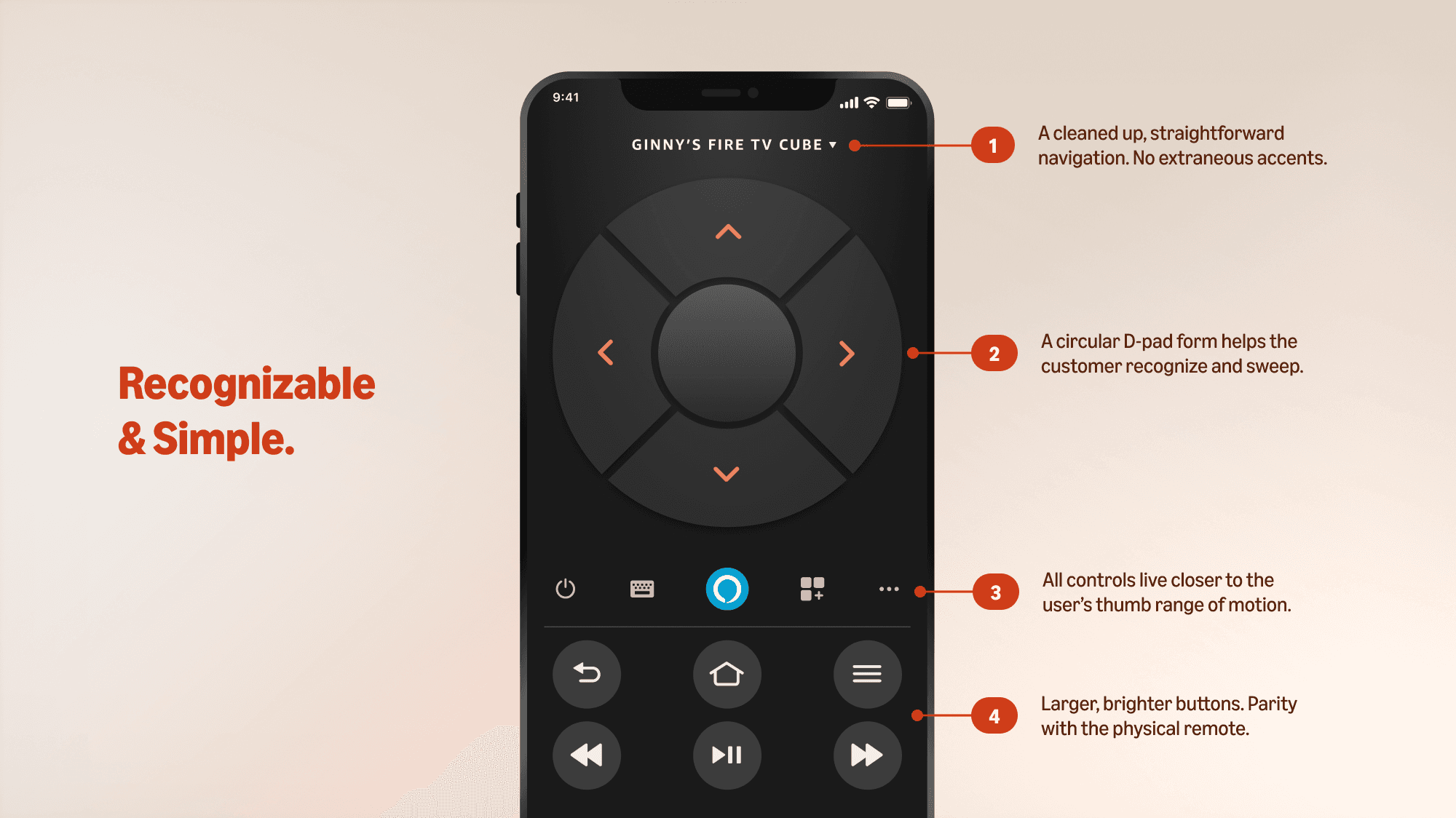
A rounded D-pad design

Easily tappable actions

Parity with Alexa experiences
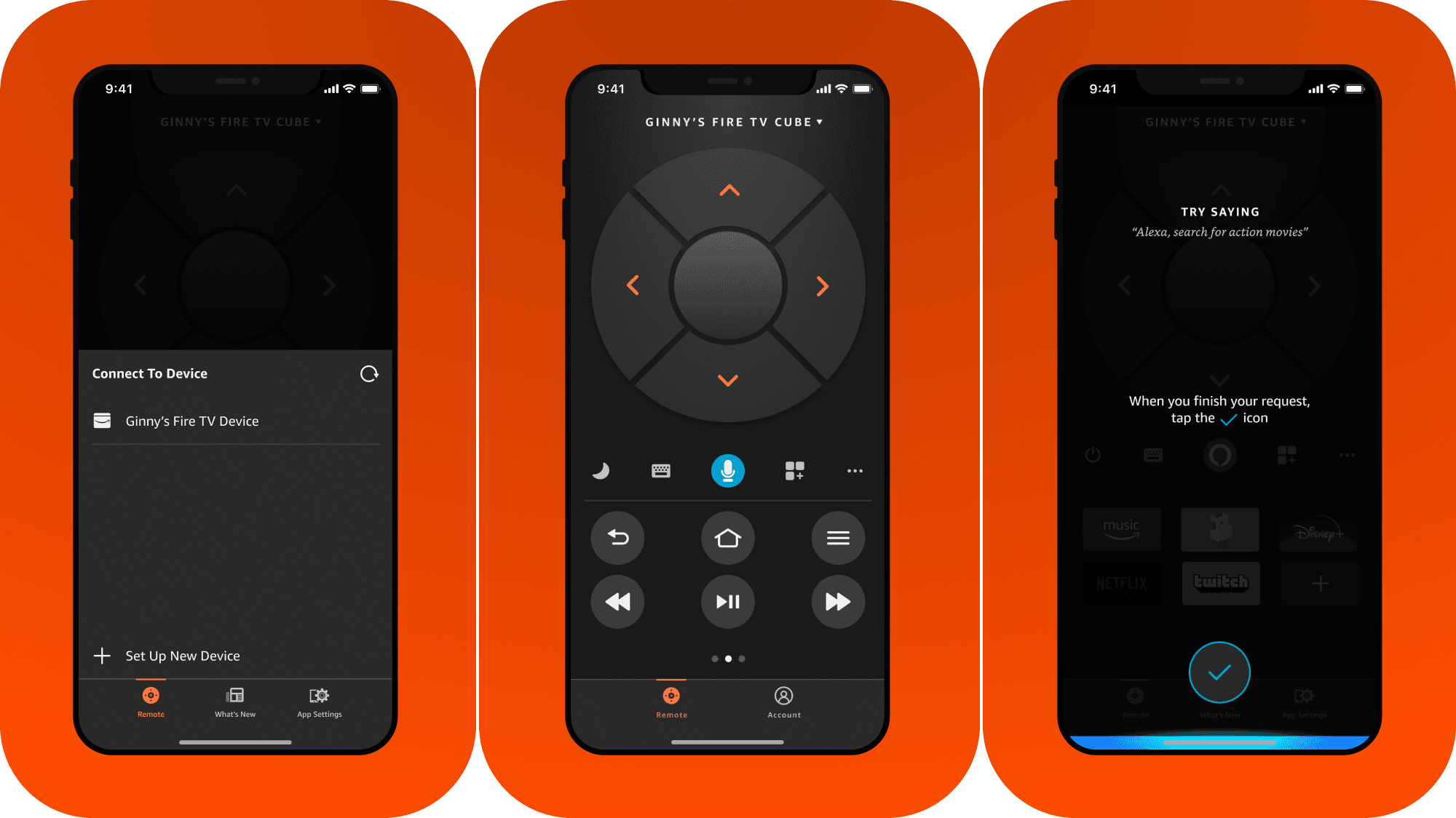
Virtual Remote Design
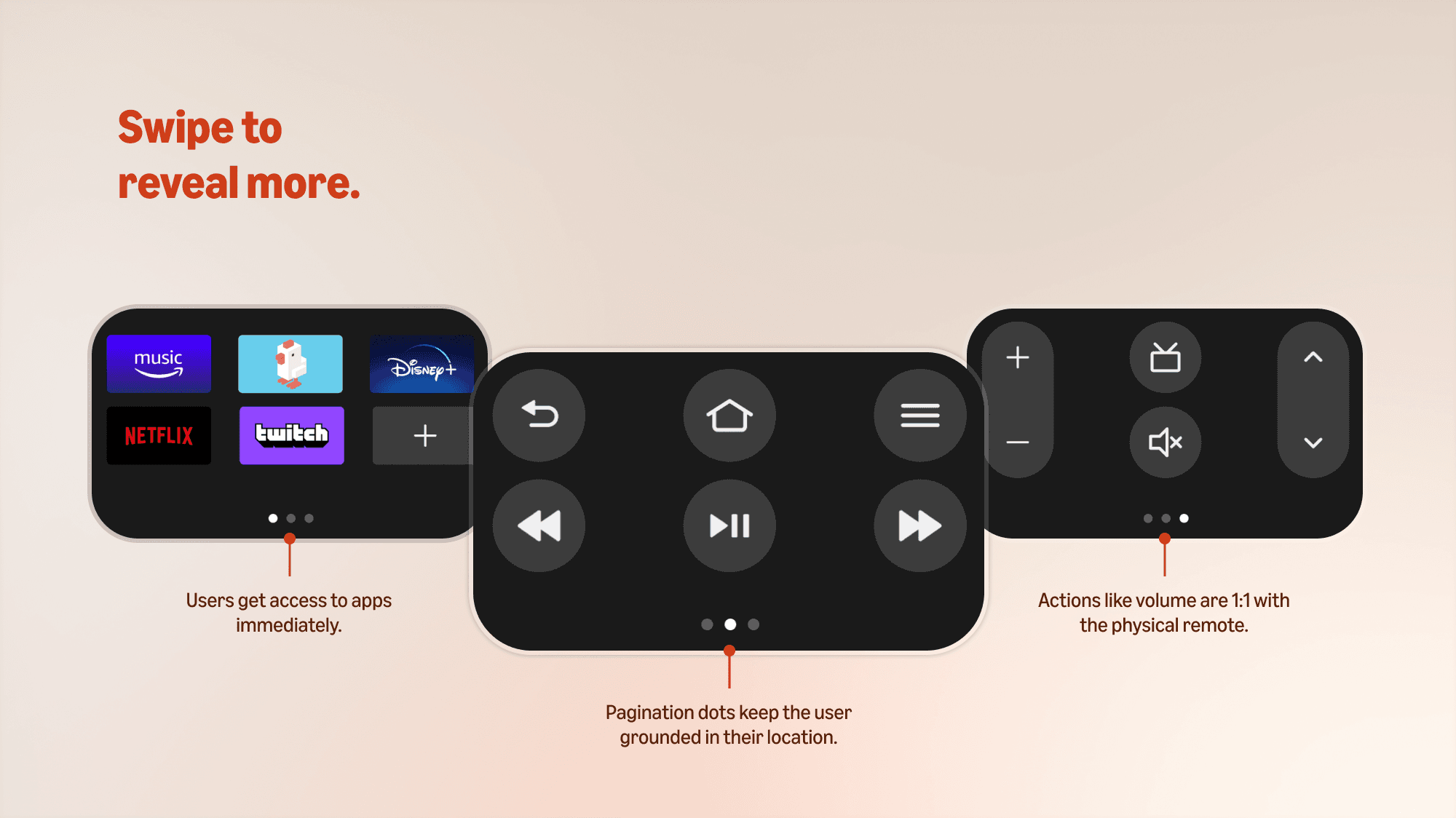
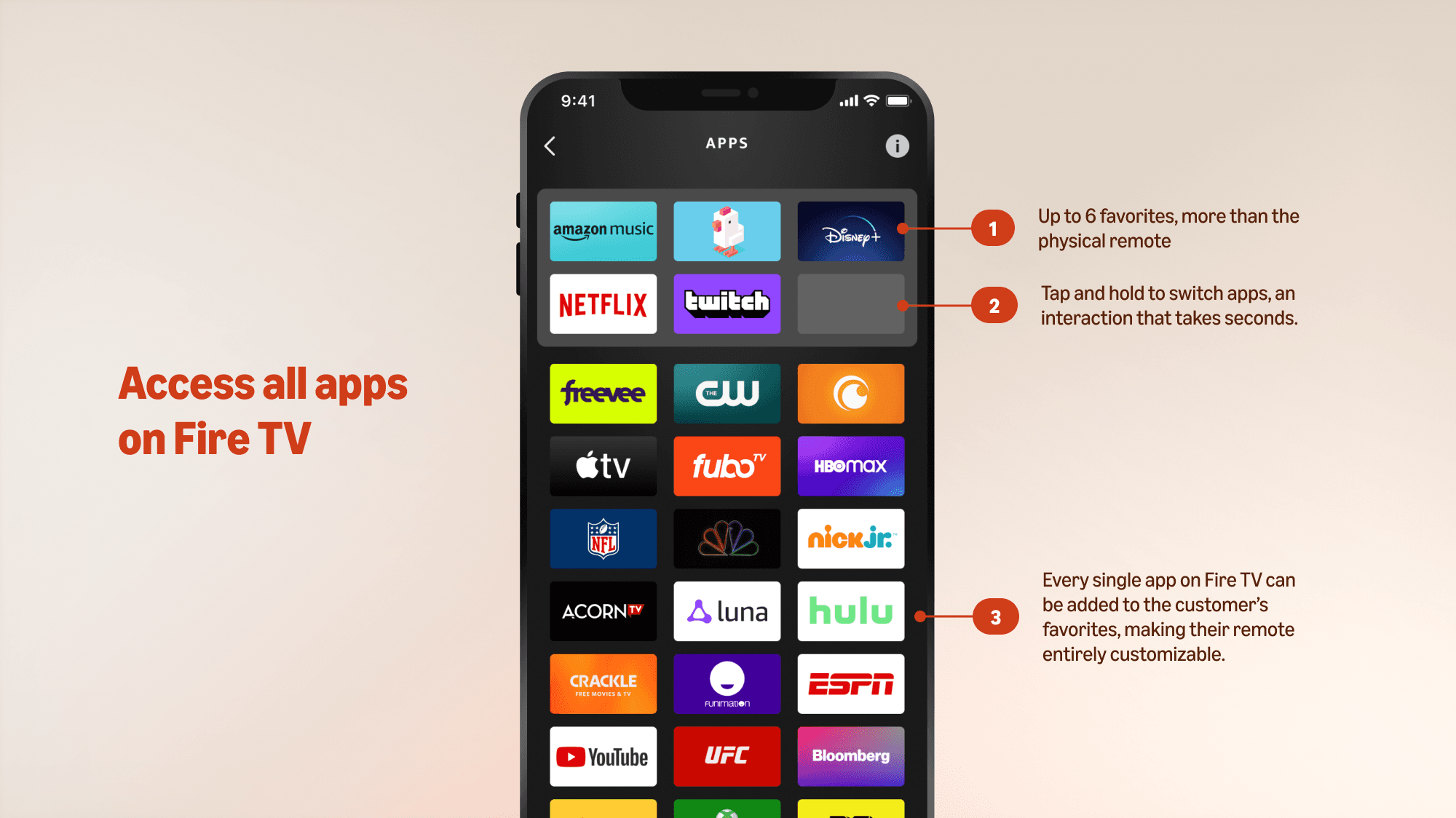
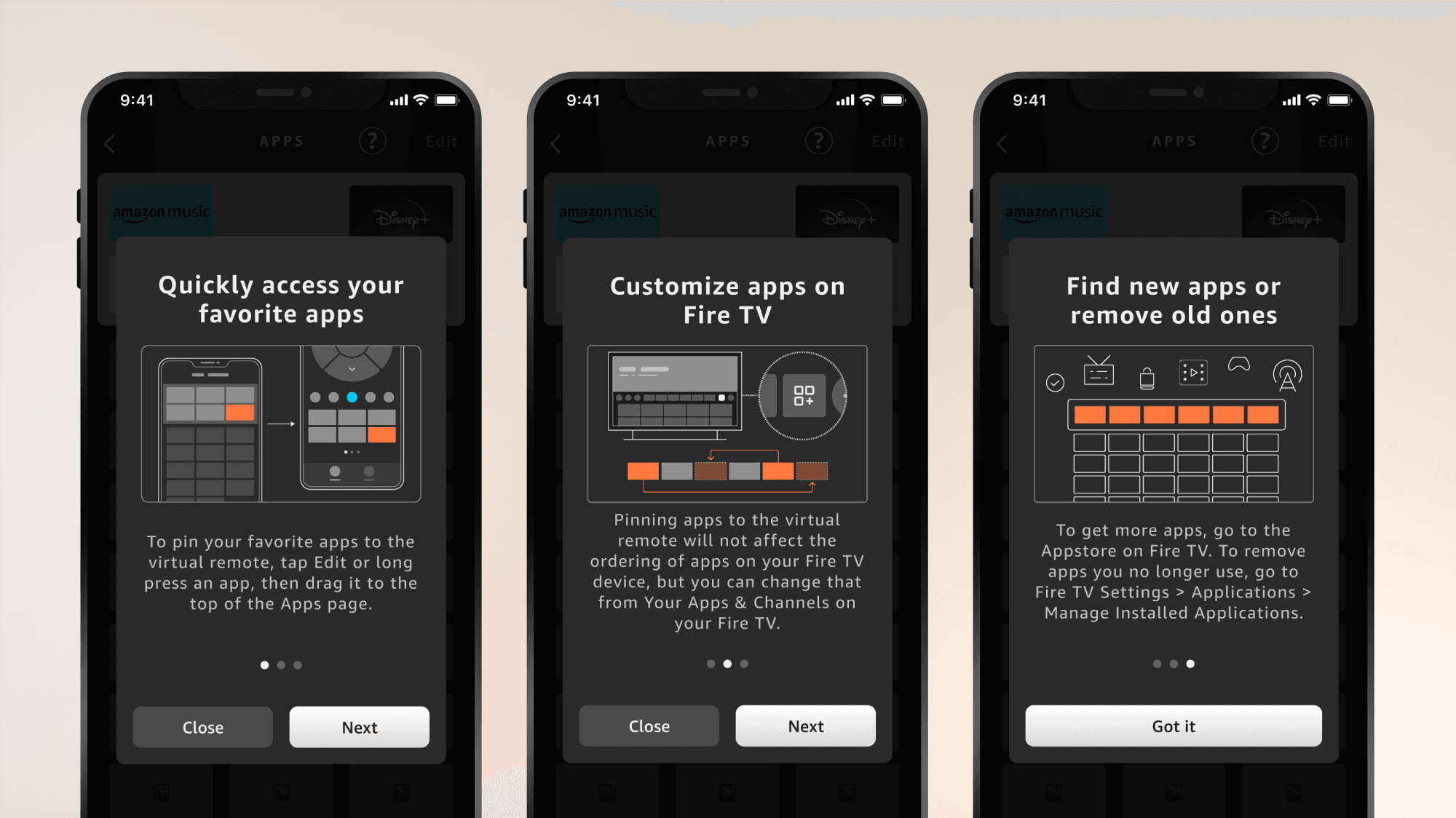
The rectangular form factor of the virtual remote was converted to a circular form, matching the physical hardware. The top portion of the screen was cleaned, allowing the top half to be entirely reserved for navigation through Fire TV and customer devices.
All other navigational and control buttons were relgated to the bottom half of the screen, within a single tap or swipe of your thumb. The visual form factor of buttons like volume and channel browsing also now match the physical remote — making it easier for customers to recognize and take action.
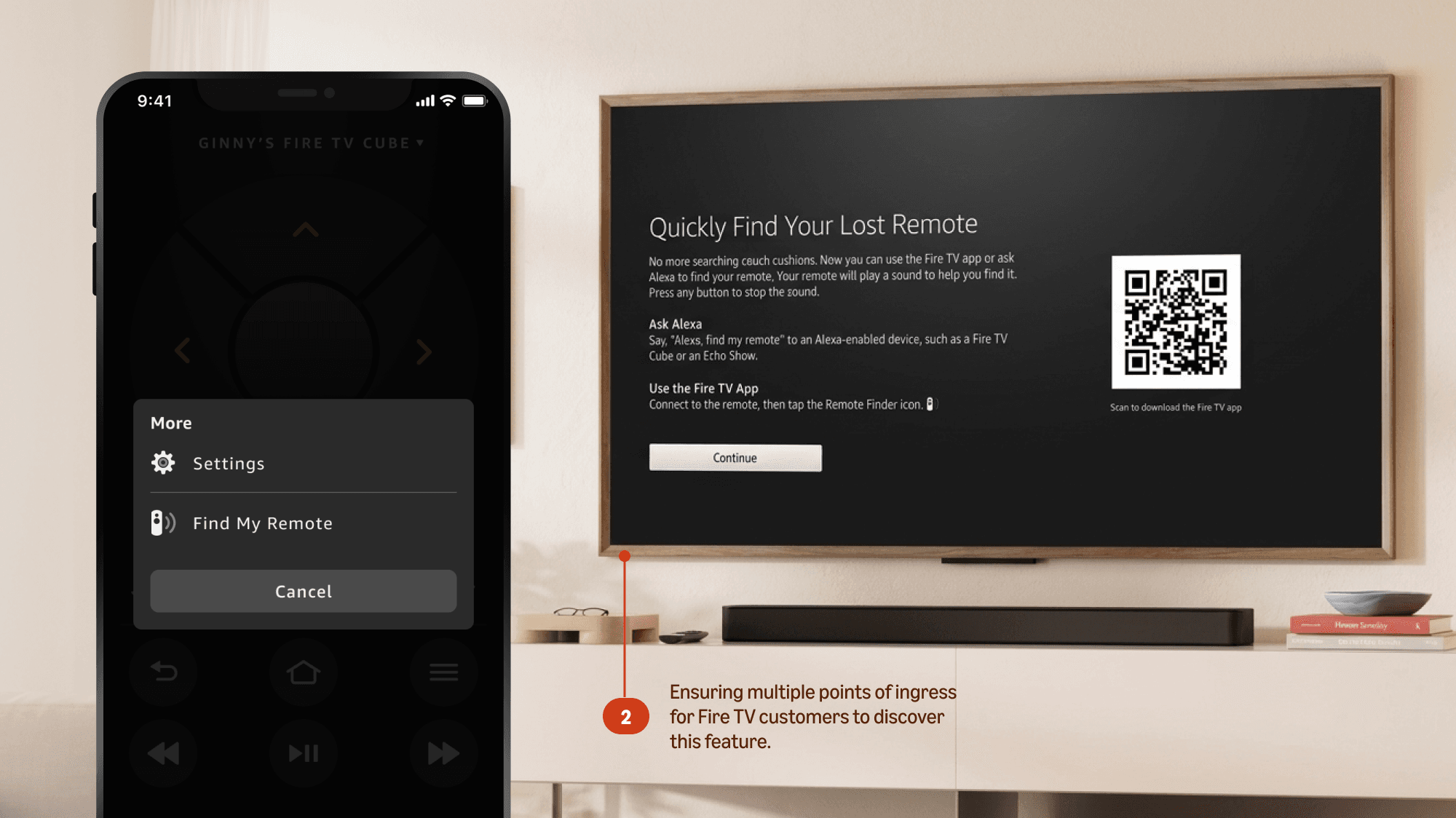
Find My Remote
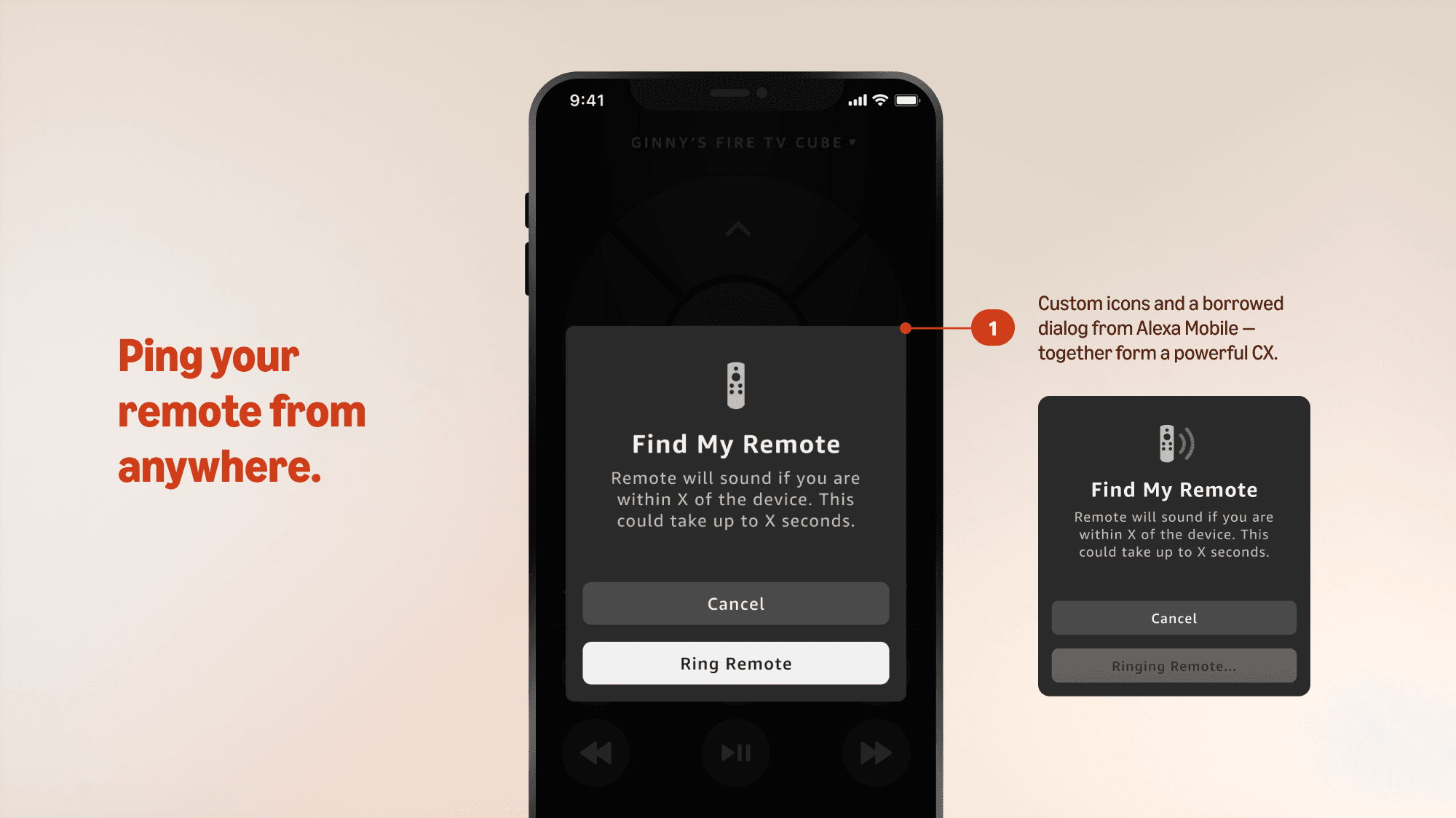
A unique feature the team implemented into the app was the capability of Find My Remote. Since Fire TV remotes are paired to their devices, customers can ping the location of their remote if lost between the couch cushions.
Before this redesign, I collaborated with a senior design lead to develop the original customer experience of this feature. I built the original visual specifications, designed new iconography, and ensured that the interaction design felt intuitive in high fidelity. Once ported over to this version of the app, I evolved the designs to fit the current experience.
Interactions with Alexa
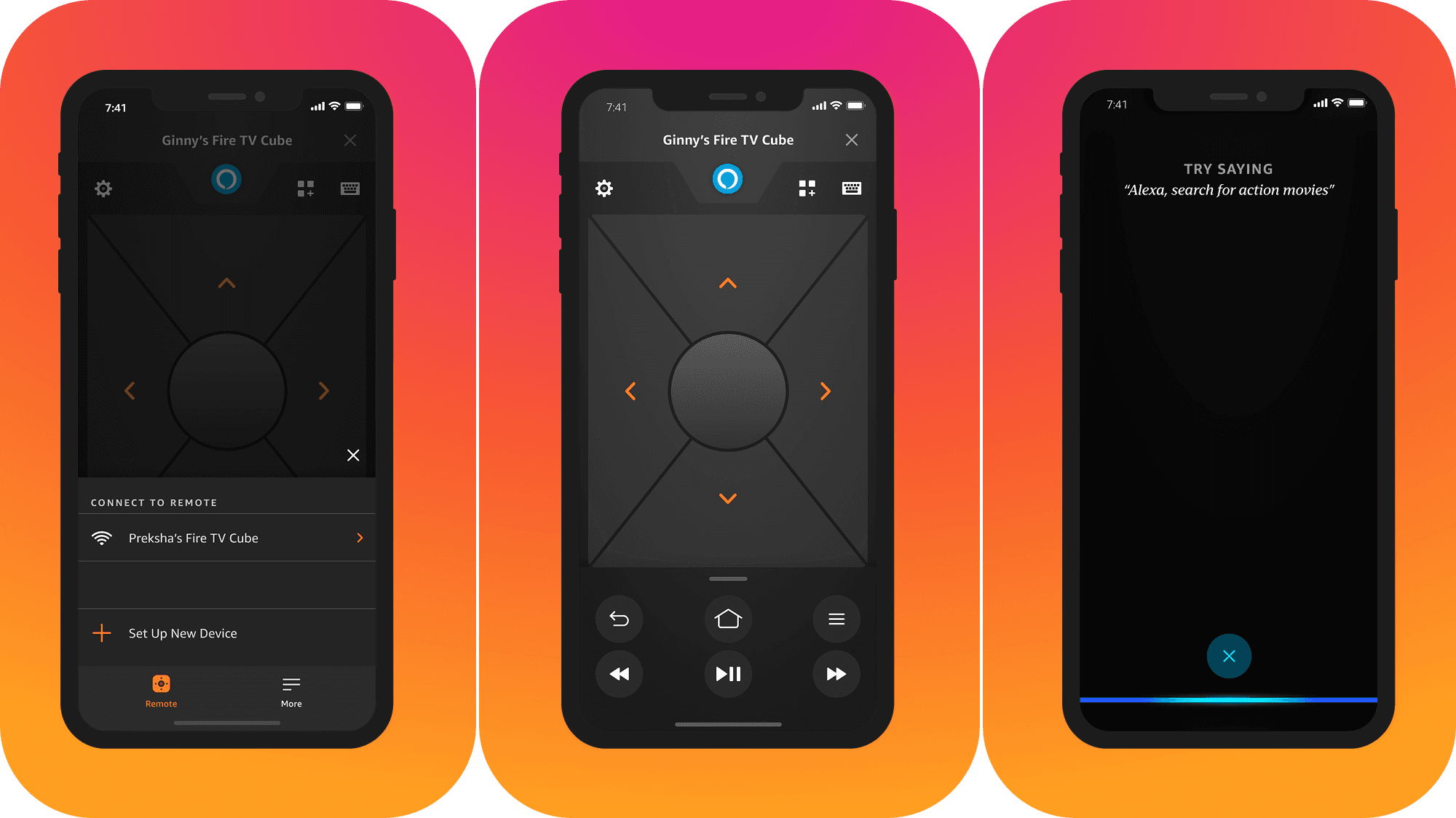
The first version of Alexa engagement on this app required customers to tap, hold, and then pull down a tab in the header. Users must then continuously hold into this tab to give their commands, and release to send. It was considered very tedious.
Close collaboration with engineering let me design a better interaction: a single tap. Although our remote hardware requires users to hold onto the physical button to speak, mobile users could have it easier. They retain access to the full screen with a tap, giving real estate for me to add voice command hints.
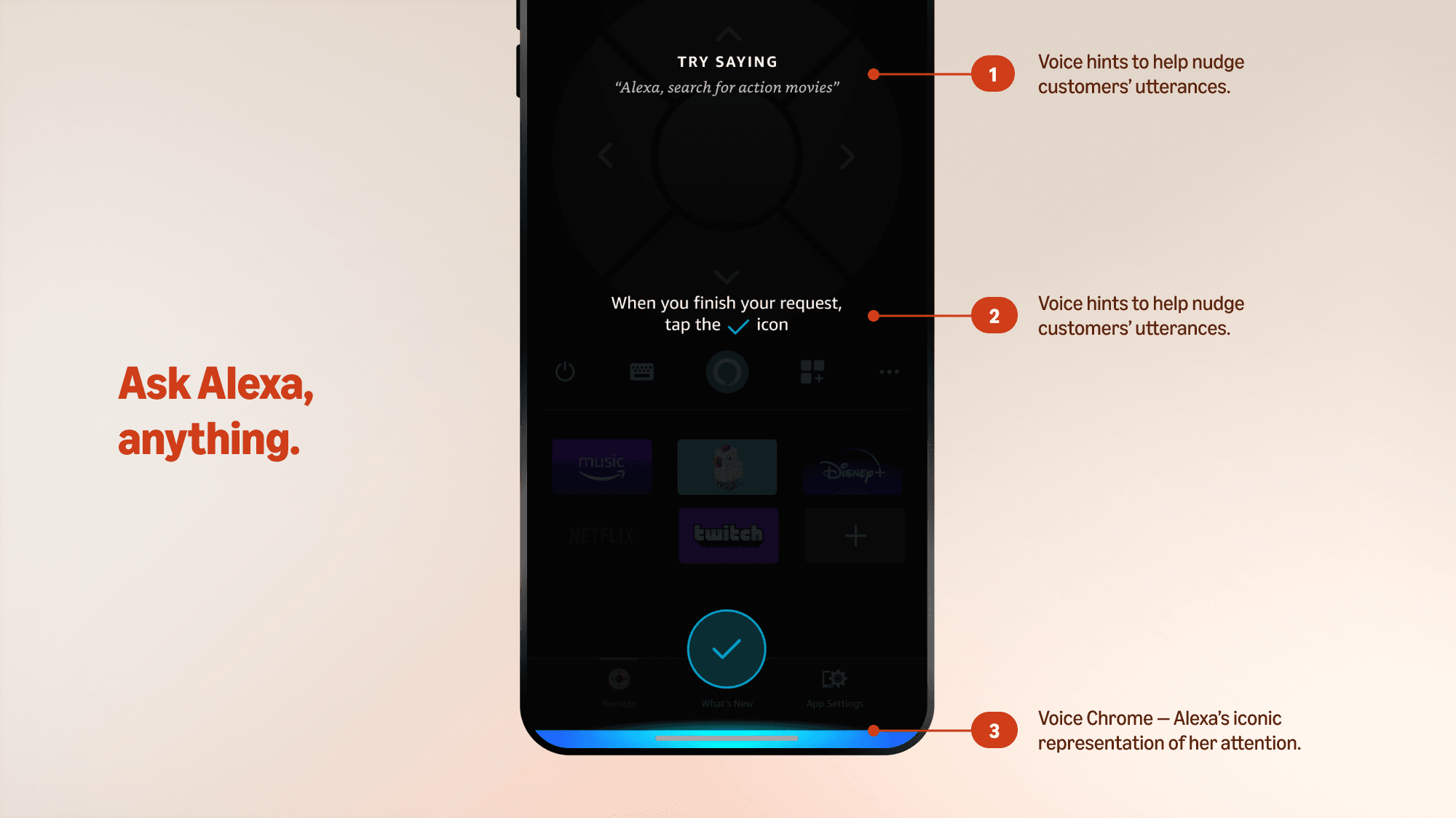
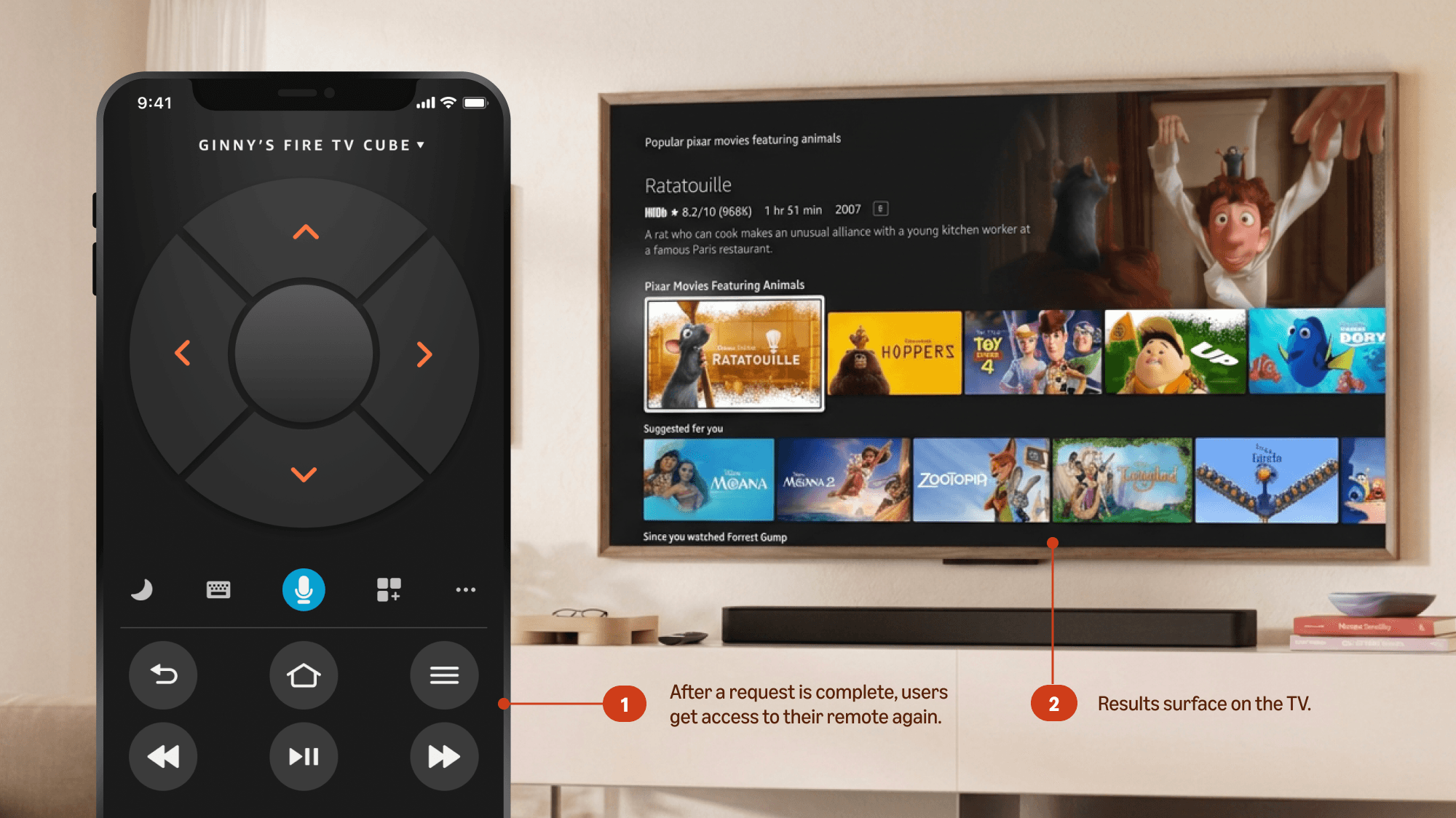
With the latest designs, I updated a few interactions for the Alexa experience. Firstly, the ingress was moved from the header to the center of the virtual remote. This made it more easily accessible when users hold their phone with a single hand.
The voice chrome and overall landing UI also received a makeover to align with the Alexa Mobile app, which is the more flagship product for Alexa. Having both experiences be the same for all mobile users makes more sense. Simple edits like converting the “x” button to a check mark were done to also address customer anxieties with voice commands.
Evolution of System Architecture
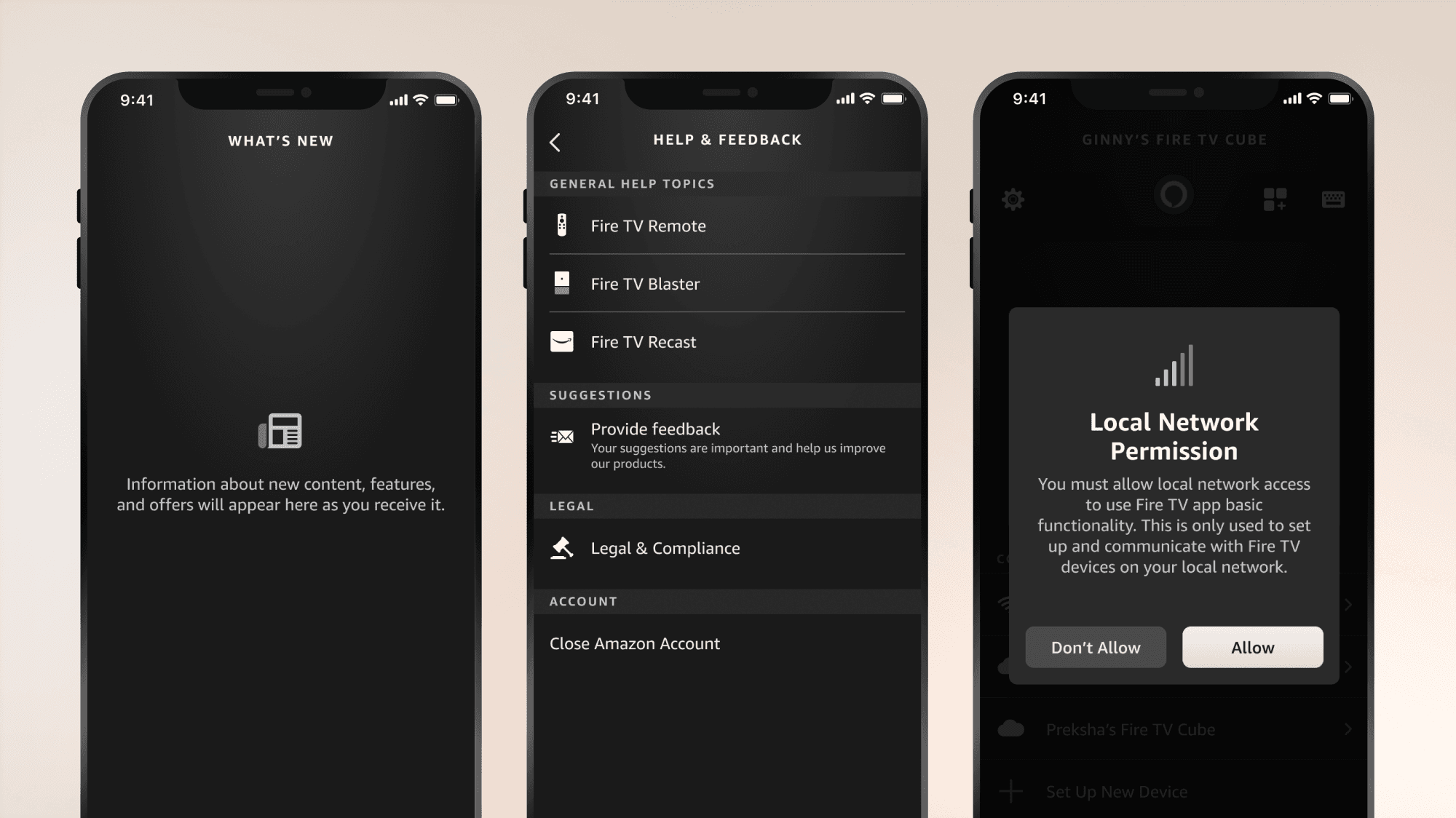
The remainder of the redesign focused on scaling the Alexa Mobile app’s design system over to applicable parts of Fire TV Mobile, with a huge focus on maintaining consistency with system features, like Settings, Modals, and Cards.
I gave it a second glow up, borrowing styles from the Fire TV core design system to result in the development of Fire TV Mobile’s first comprehensive design library that was finally consistent with the latest of Amazon devices. Designs scaled for both iOS, iPad, Android mobile, and Android tablets.
Delivering Engineering Specs
Creating sustainable libraries for designers and engineers to use.
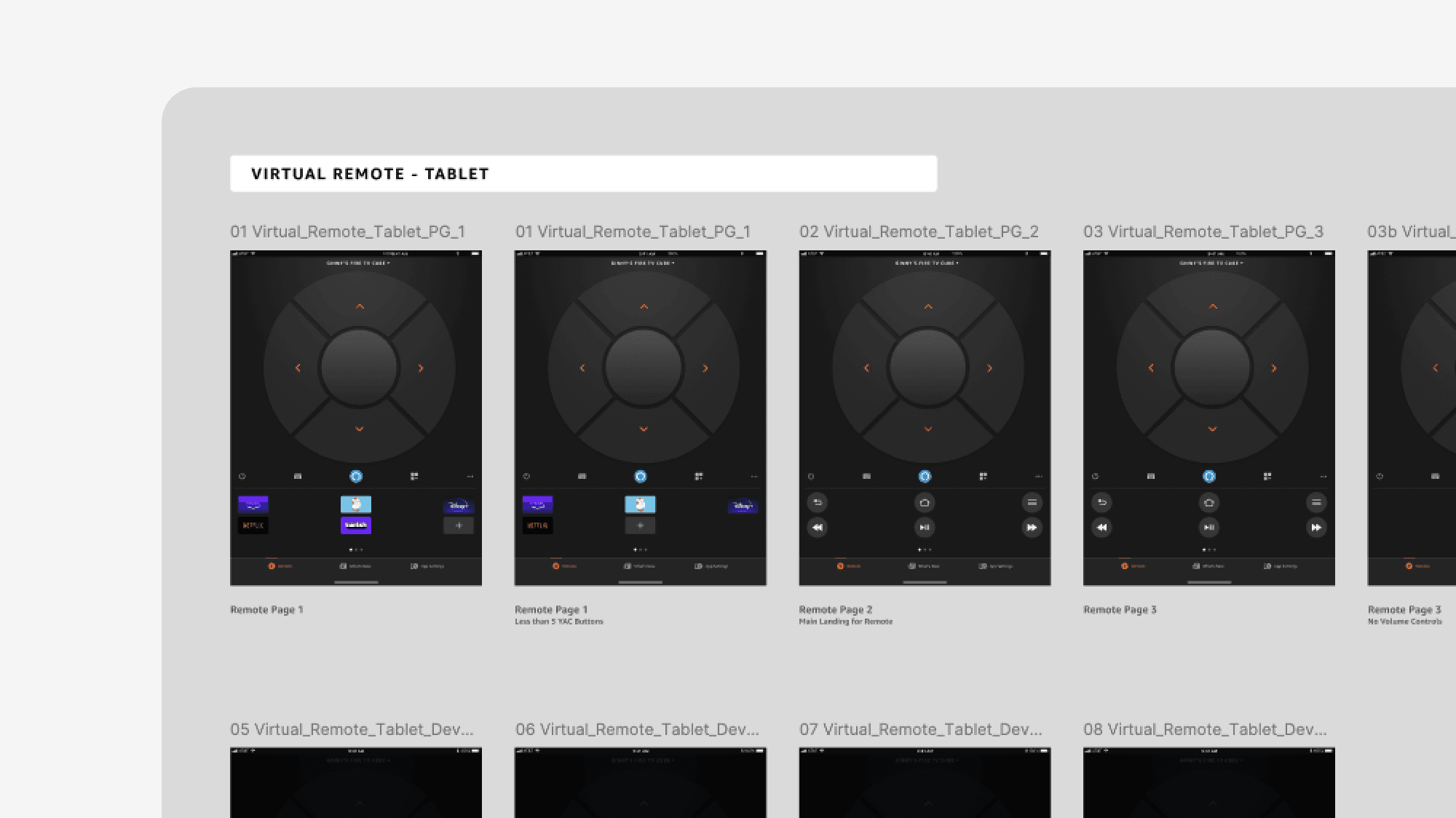
All previous deliveries of this product were developed in Sketch, and components were built only locally to feature files. At the time the team started to work on this mobile app update, the core Fire TV team had been migrating documentation and specs over to Figma. I also ported over audits on past version of the product, and overall, created new spaces for the team to find key documentation for future use.
In parallel with designing the visual interface for the updated app, I added a new UI component library for designers, and developed new spec documentation for engineers.