Amazon Fire TV
Ambient TV
AI Art Galleries
Core Feature Launches
The Fire TV core experience was redesigned in 2020 to optimize customer intent with search and discovery. Joining their team in 2021, I scaled the new visual system to develop its next large impact feature: Ambient Mode, and it’s capability to produce generative AI art on your TV.
Timeline
Fall 2021 - Fall 2022
Role
Lead UX Visual Designer
Overview
The new Fire TV design system was developed in 2020. It introduced new browse row patterns, focus states, and search implementations with voice-powered Alexa interactions. The product rapidly expanded its features, and I became one of the team’s visual UX specialists designing updates for Profiles, Settings, Onboarding, and illustrations, to incorporation of the following new features — Ambient Experience and Generative AI Art.
For three years I was on Amazon’s Fire TV Team, working as a lead visual UX designer with partial ownership of their visual design system. I didn’t just ship features, I helped lay and developed entire frameworks that grew the collection of fully immersive experiences for Fire TV customers outside of core browsing.
Delivered product updates for Settings and Onboarding, to development of new Fire TV experiences: Ambient TV and Generative AI Art.
Scaled:
20+
Components
Shipped:
3
New key product launches
Impacted:
70+ MM
Fire TV users world-wide
Creating Ambient TV
More than just a screensaver!
When Amazon expanded their Fire TV product portfolio to include the new Omni series, it opened up opportunity for our design team to explore what the device is capable of, for customer needs beyond streaming content. Our teams identified that our TVs go underutilized during a majority of the day — with peak usage starting only after 7:00PM.
Visual UX Involvement
The core UX team for designing Ambient Mode consisted of myself — a specialist in visual design — one lead, and two interaction designers. Together, we defined the core CX for Ambient. It was my role to drive decision making in parallel with each designer from a visual design system standpoint, and finalize all sections of the product in high fidelity for engineering.
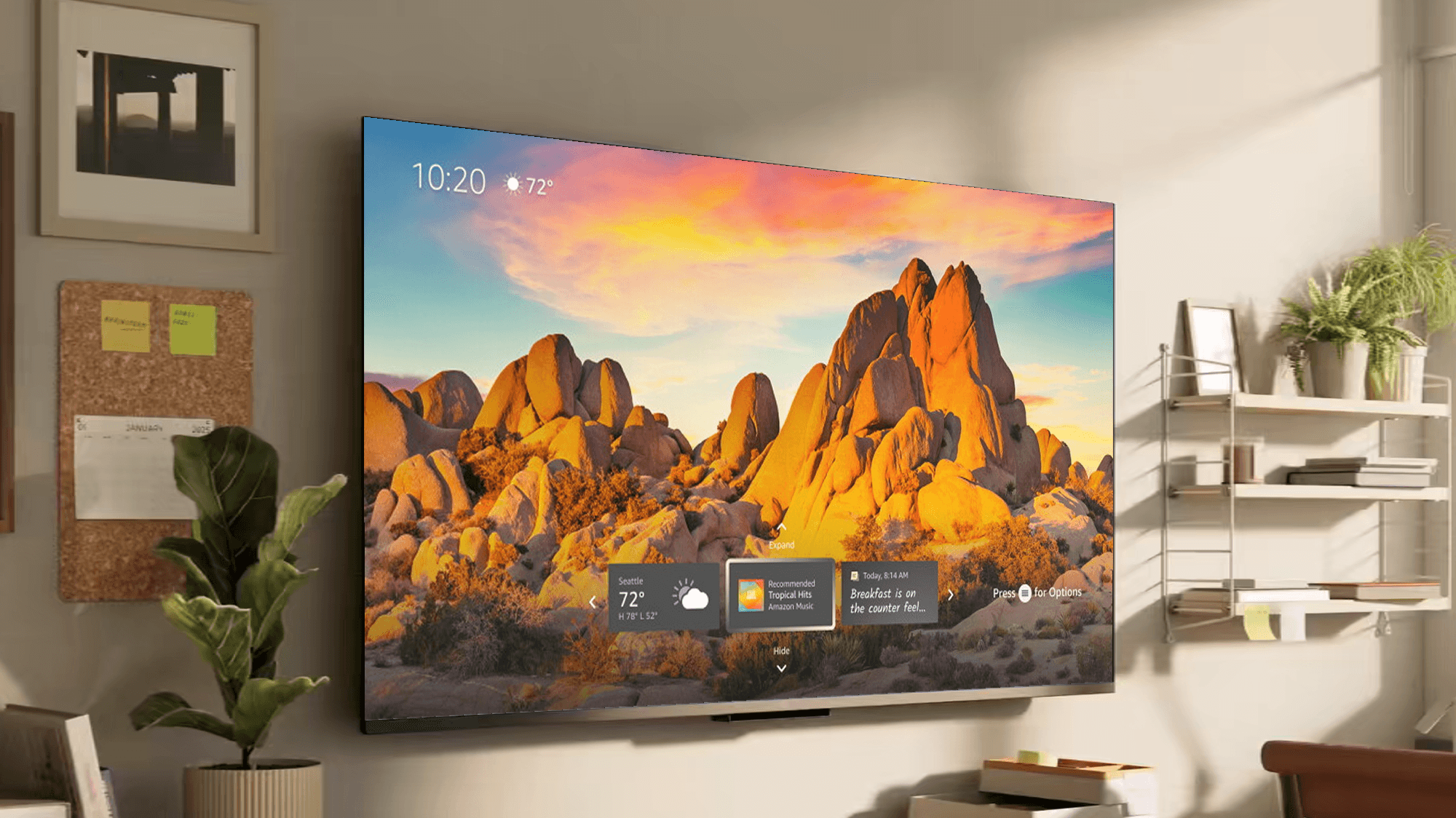
Designed four key parts of the Ambient Experience: Home & Art Mode, Widgets, Art Galleries, and Settings & Preferences.
Impacted:
99.5%
Of Fire TV users
Increased product usage to:
80+ min
In feature enablement per day
Ambient Home / Art Mode
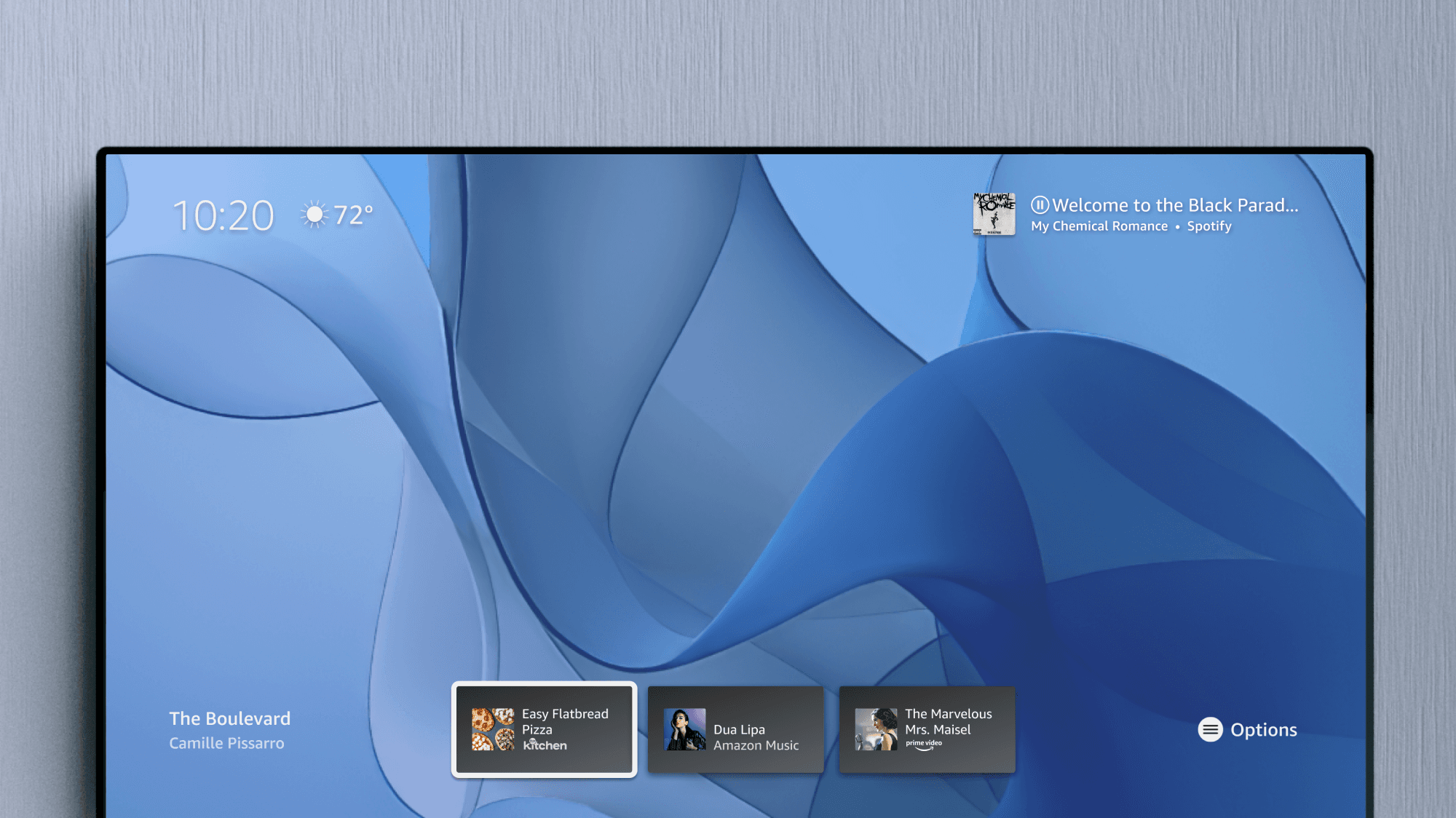
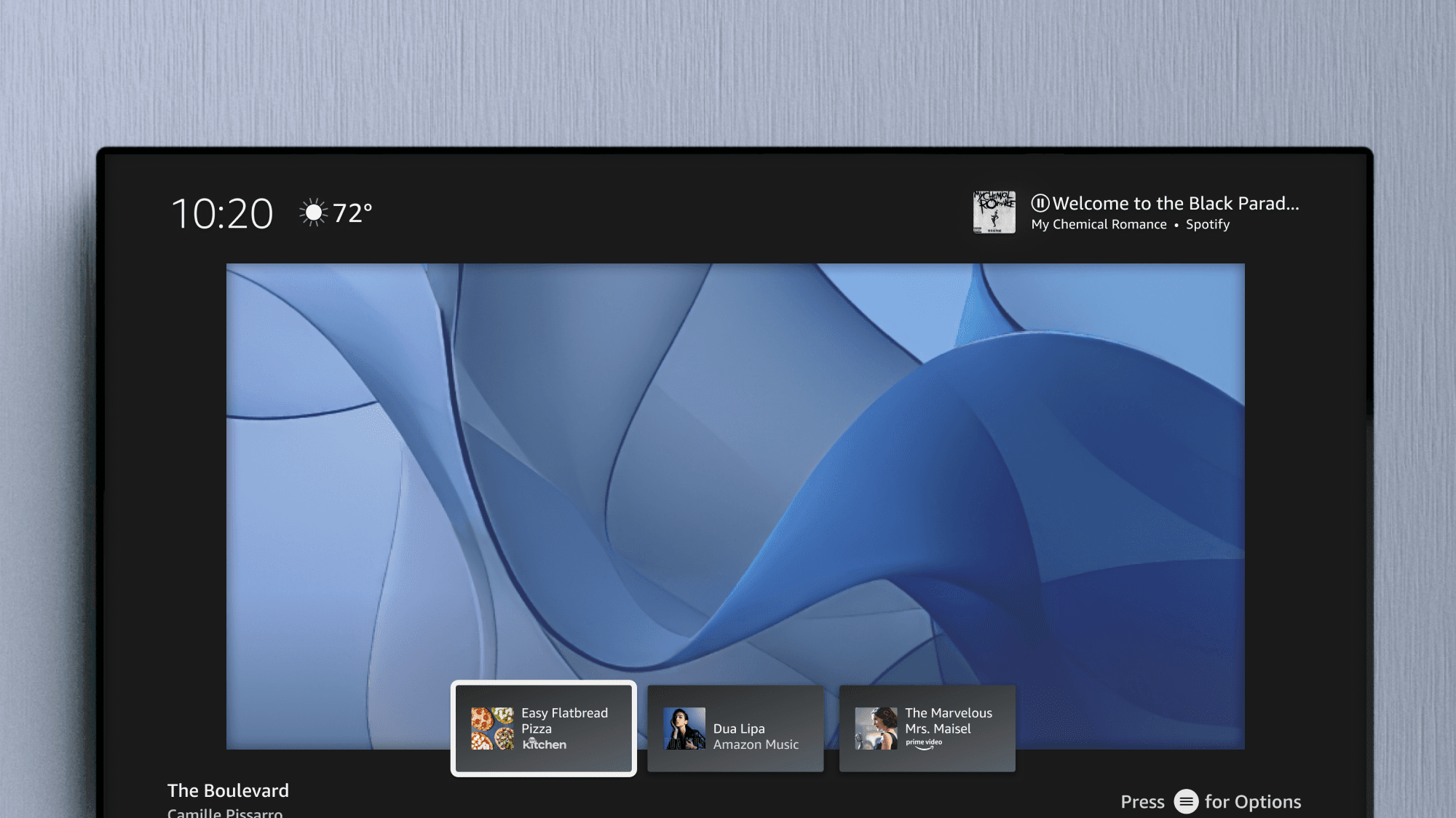
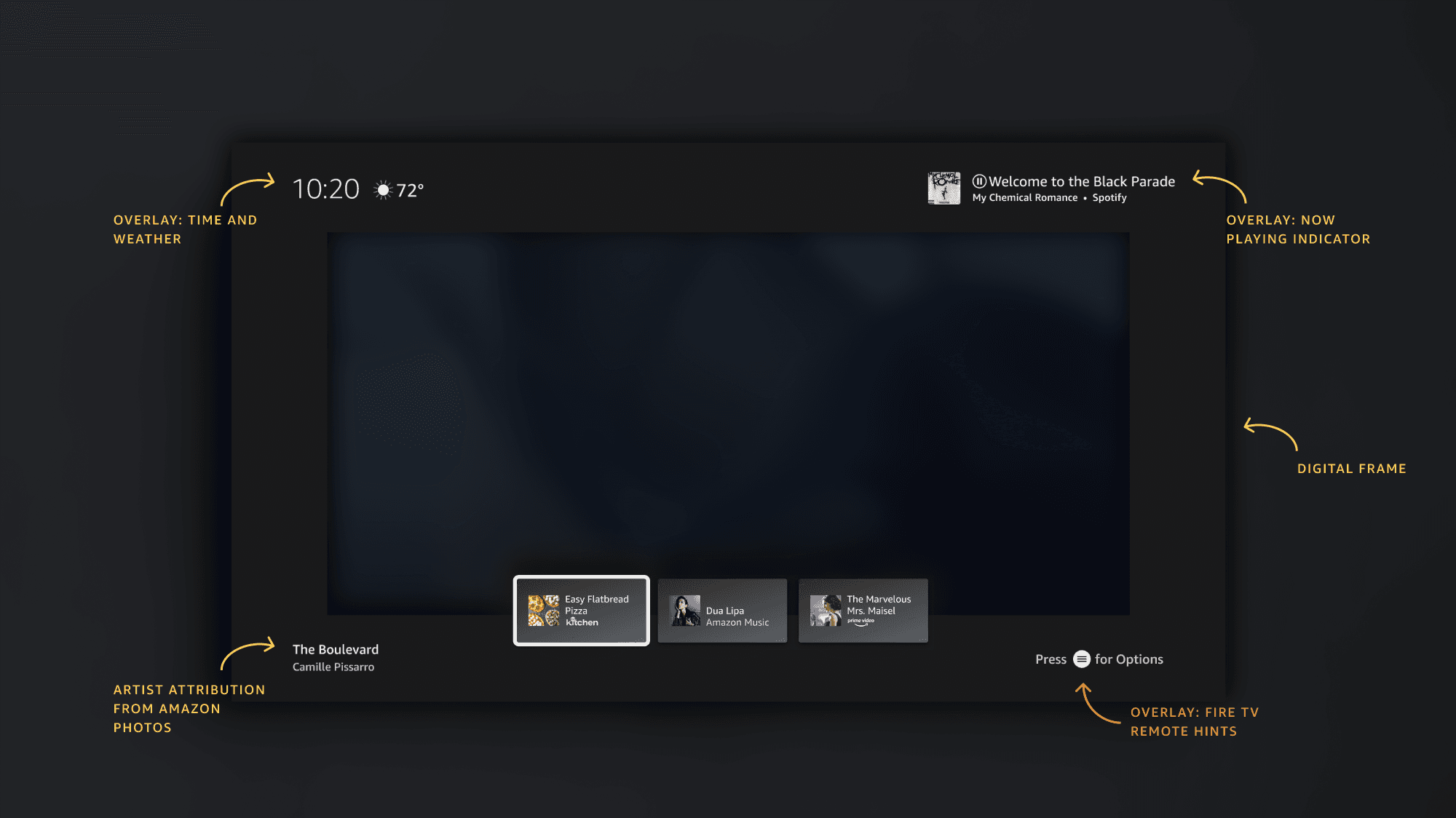
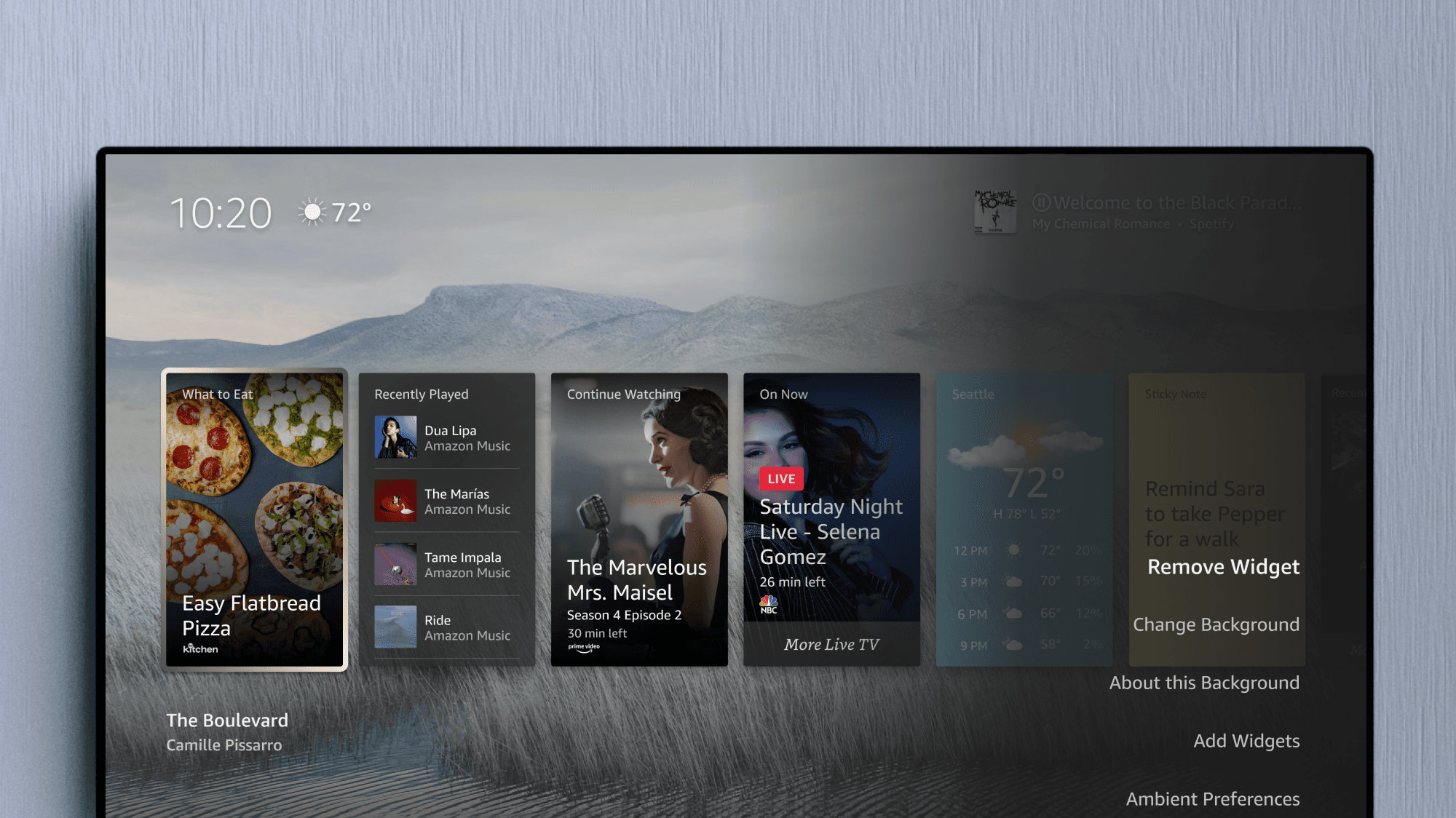
The centerpiece of the Ambient experience was its home. With the goal of maintaining a minimal interface, Ambient Home lets customer art and photography take focus. From the clock and weather, to the now-playing music indicator and artist attribution, I defined the visual style and framework for each Home component.
Ambient Widgets
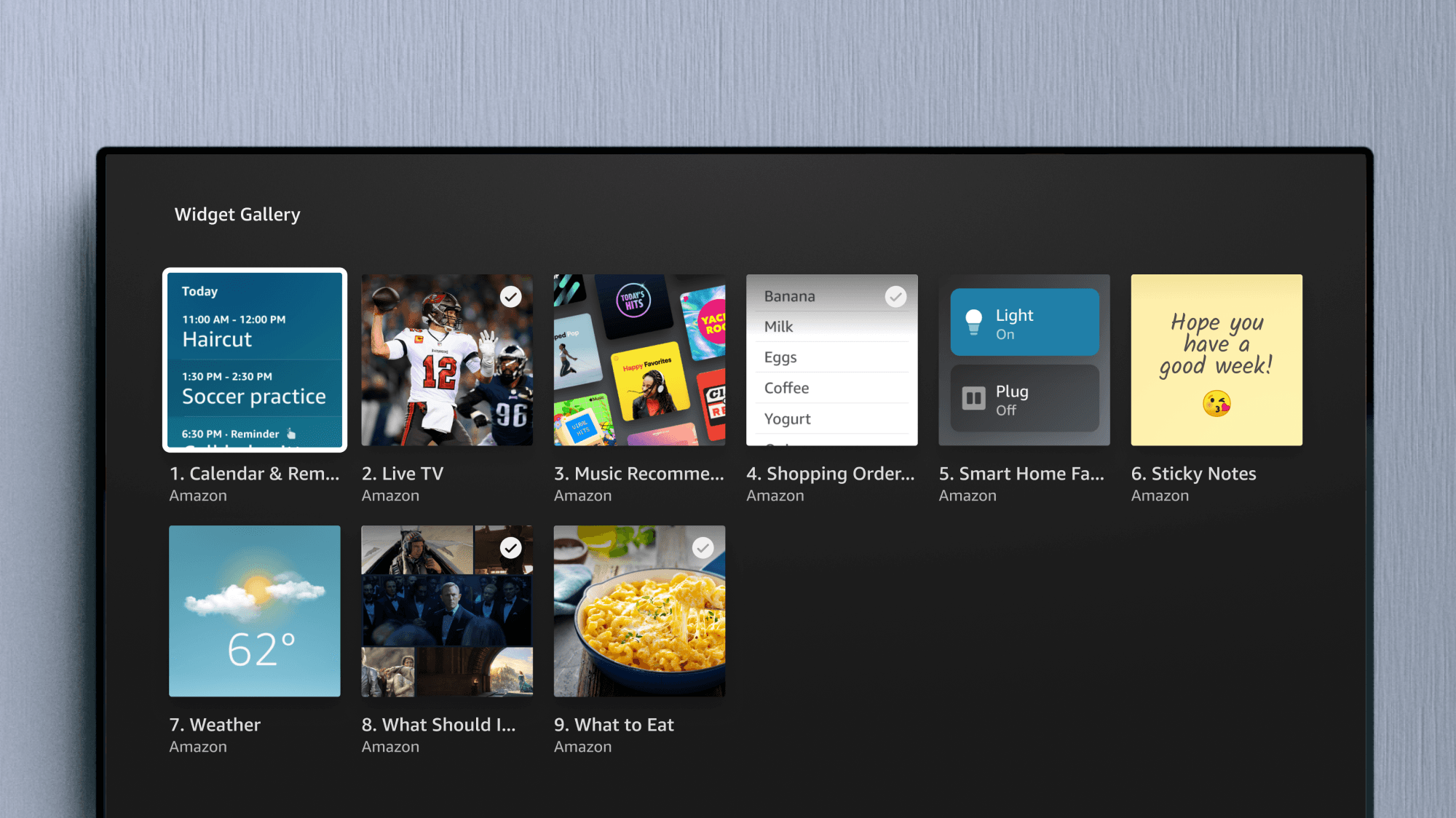
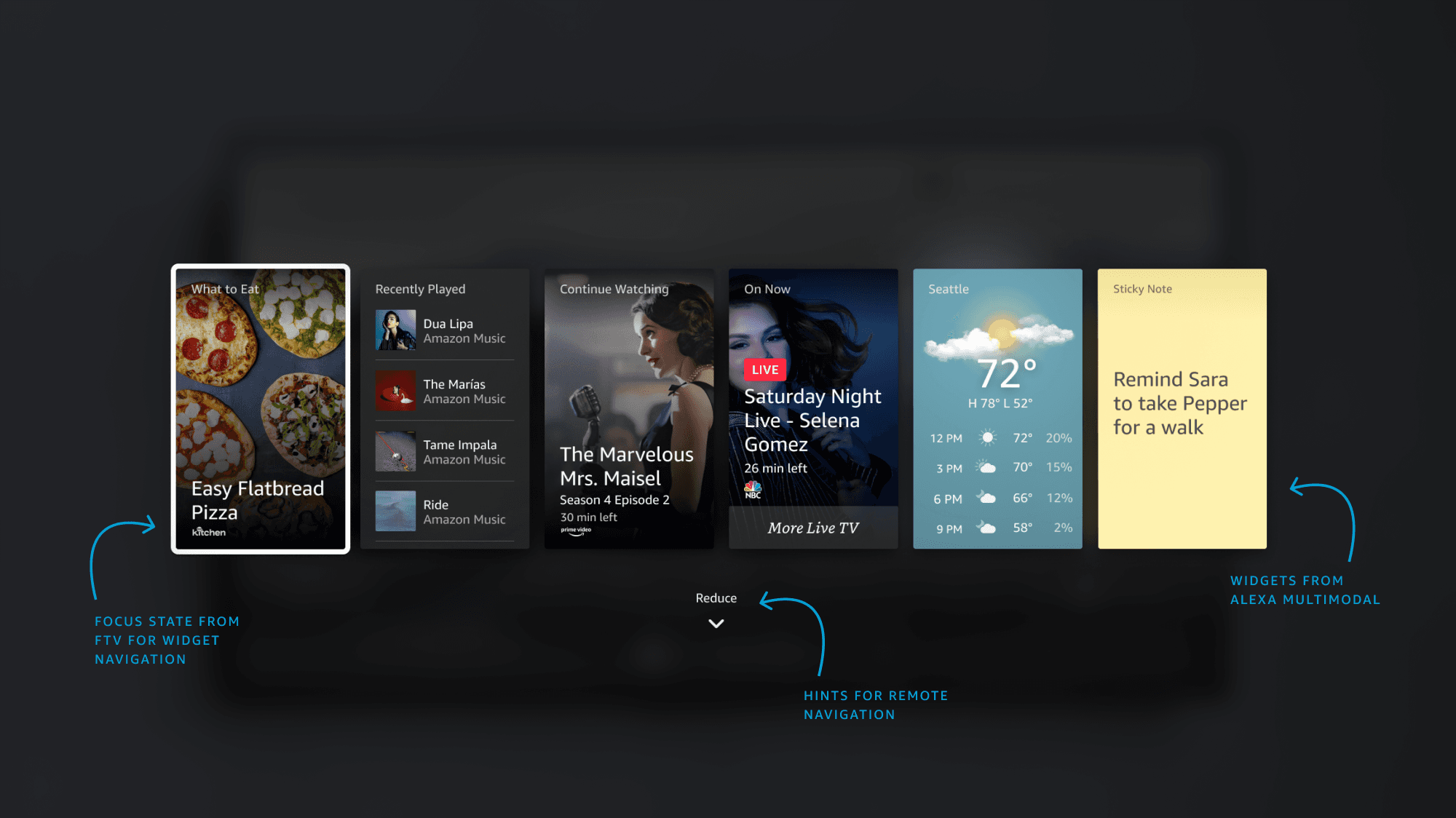
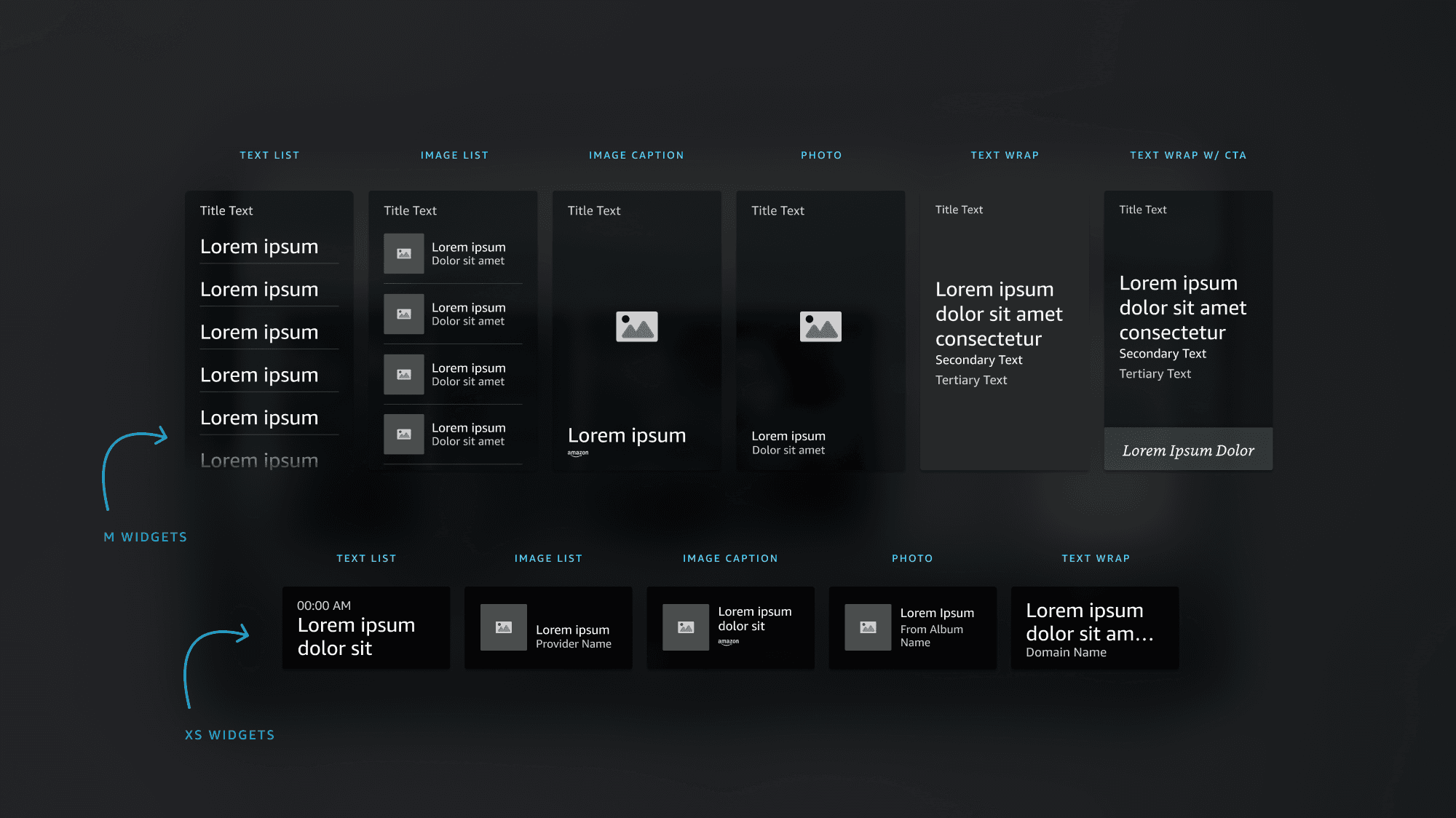
Working in partnership with the Echo Show team, domain experiences were scaled onto Fire TV through widgets we explored and designed. I built the visual framework states for how customers understood remote interactions here. Widgets are offered in two sizes, and reflected the same experiences as an Echo Show device.
This experience was a partial answer to serve customer needs in the living room, beyond normal streaming content. With Alexa, adaptive brightness, and presence detectors embedded into the device, this always-on state and additional of personalized content combines both Fire TV and Echo Show experiences through Alexa Widgets.
Ambient Galleries & Generative AI Art
How to let customers create art through speech.
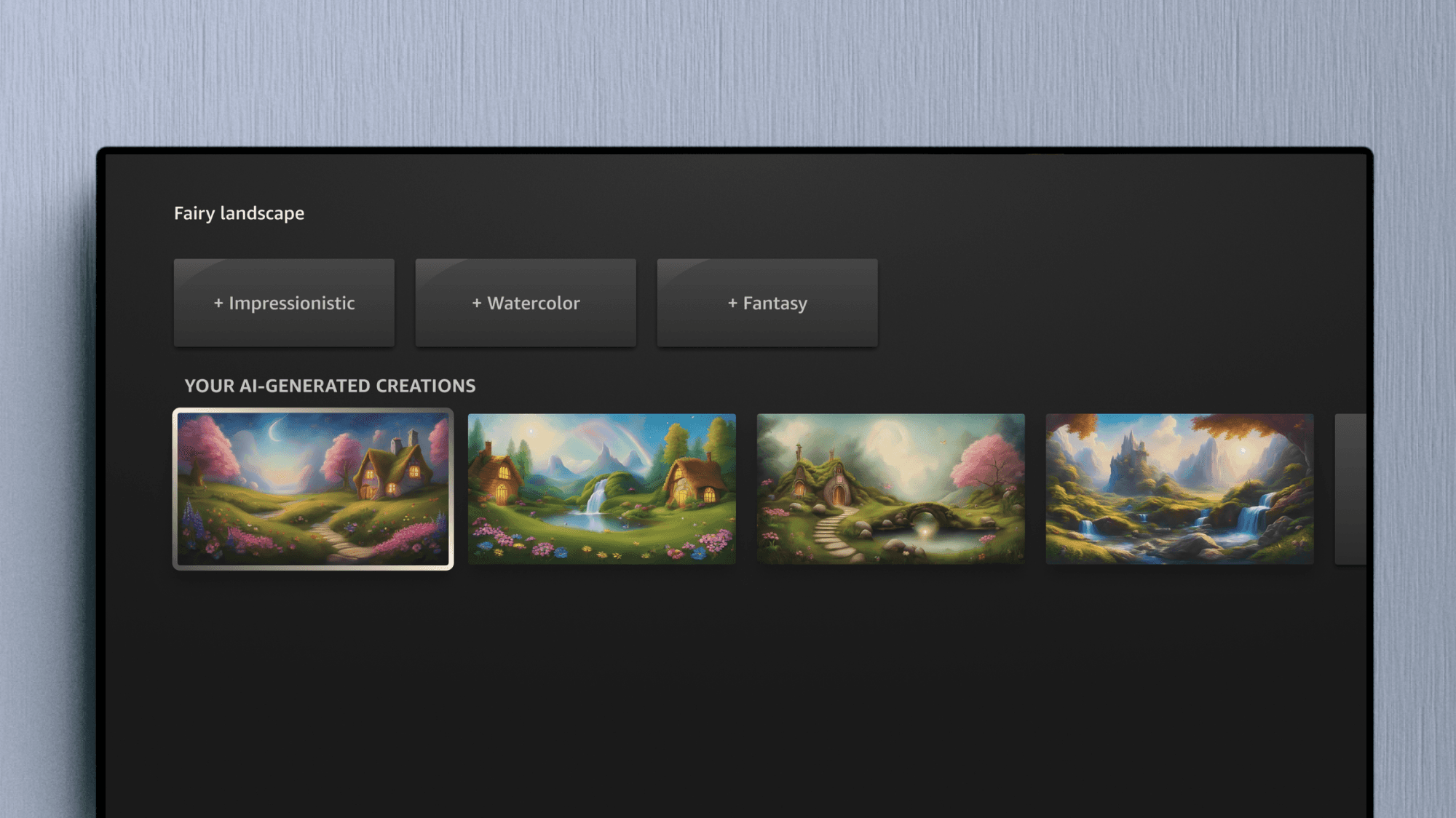
In 2023, text-to-image AI models in chat-based LLMs came into the spotlight. With art being a key focus for the Ambient Experience, why not let customers generate their own art for the living room — by just asking? My work would be the team’s first approach into integration of conversational, generative AI features into their television devices.
As visual owner of the Ambient Experience, I worked closely with the lead designer to develop the feature. I worked with internal engineering teams who developed basic image generation tools with the Stable Diffusion v1.5 model, to which I was able to utilize and create imagery for our interfaces.
With AWS’s Titan Vision language model at our hands, I proposed to the team that we could showcase what customers are capable of by using our own generated imagery in the UI itself.
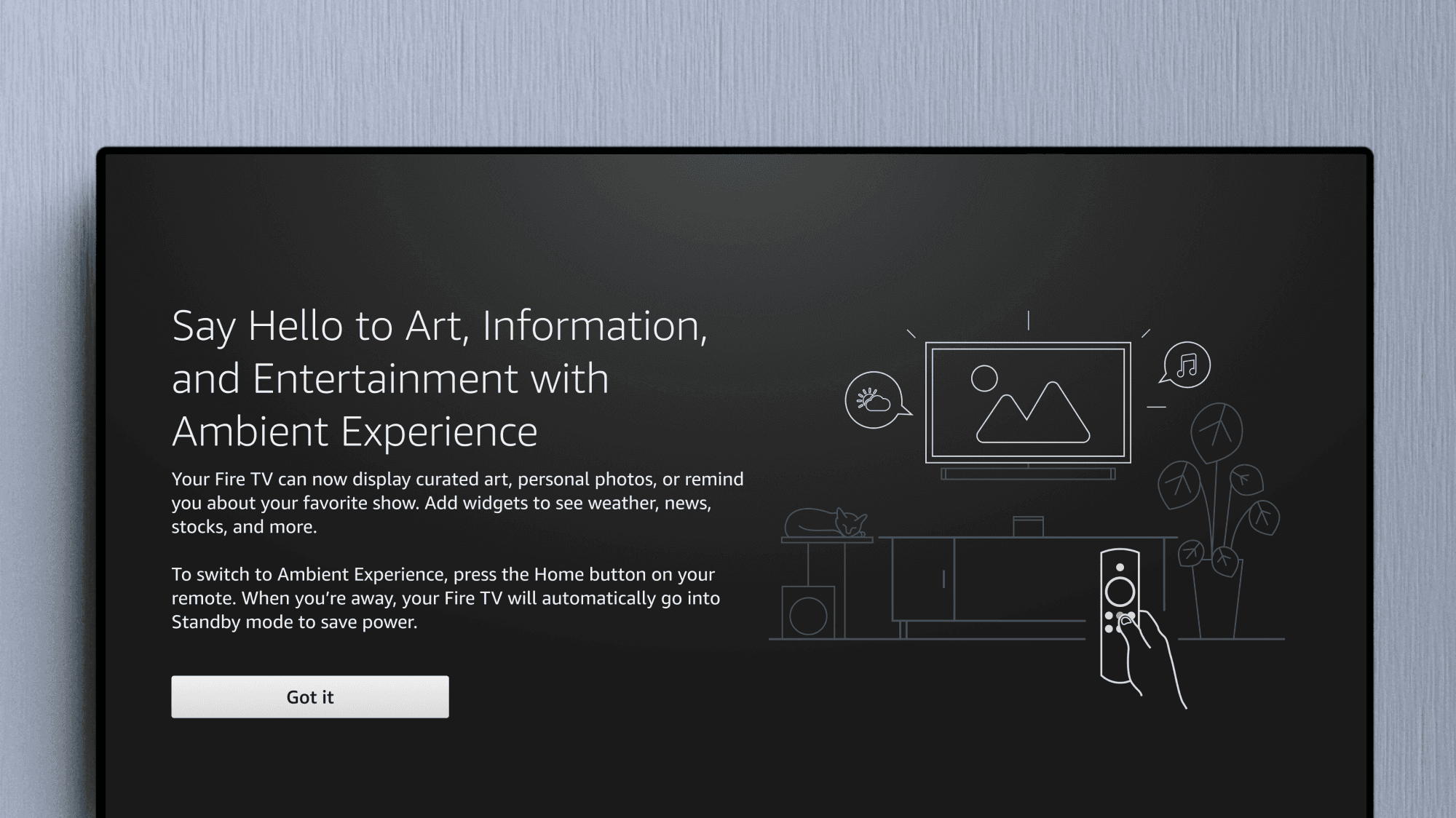
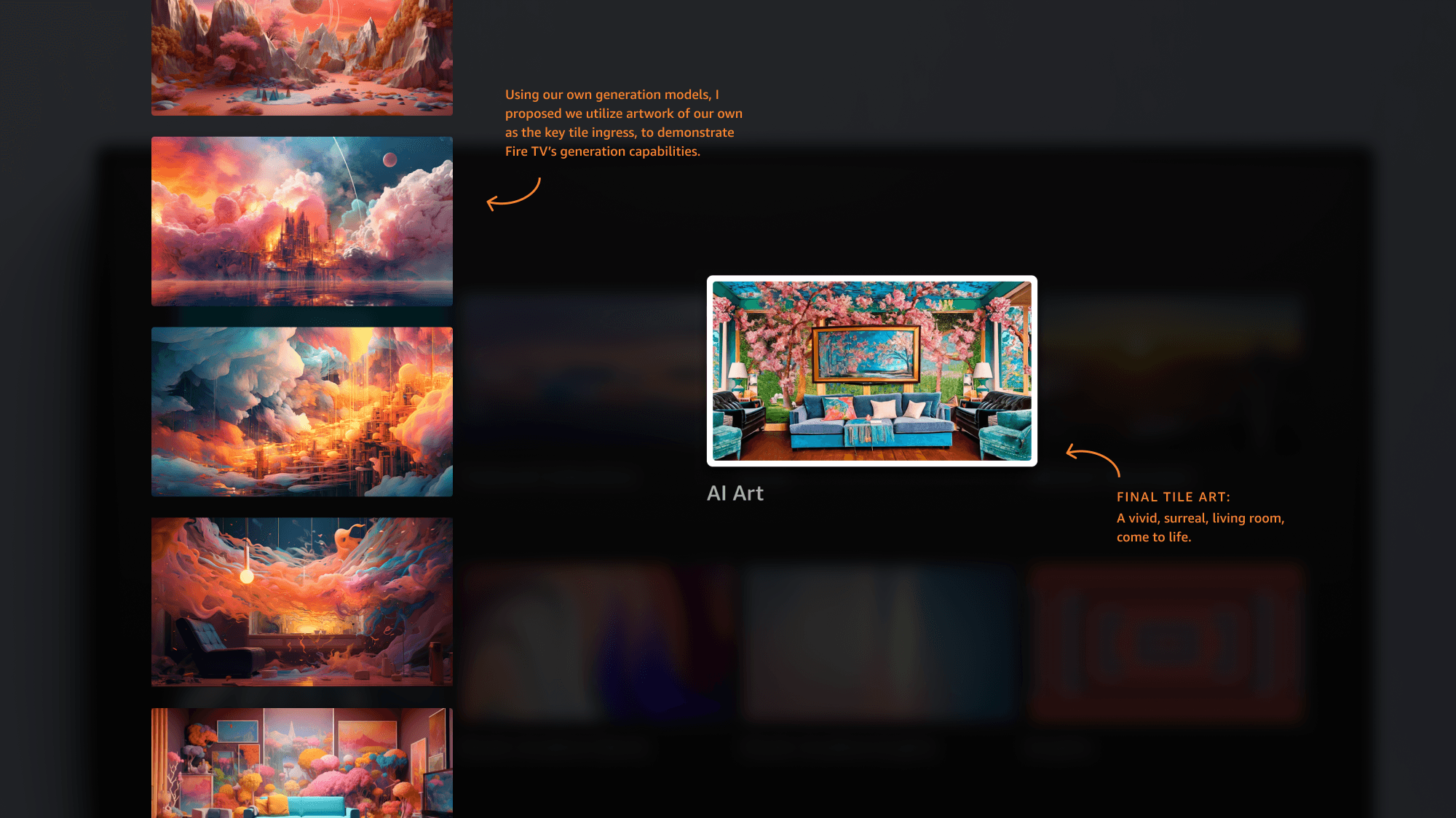
Educating Customers
A common pain point for Fire TV customers is the ability to know and learn new Alexa capabilities. Voice assistants require knowledge of prompts, and implementing new voice experiences meant that customers need to be clearly taught how to ingress into them.
Customers often take hints at face value — they don’t dive much deeper into experimentation if they think the range of prompts are limited. I developed a variety of educational moments within the Fire TV UI, using casual instances of copy, iconography, and example images throughout the experience to nudge the customer forward.
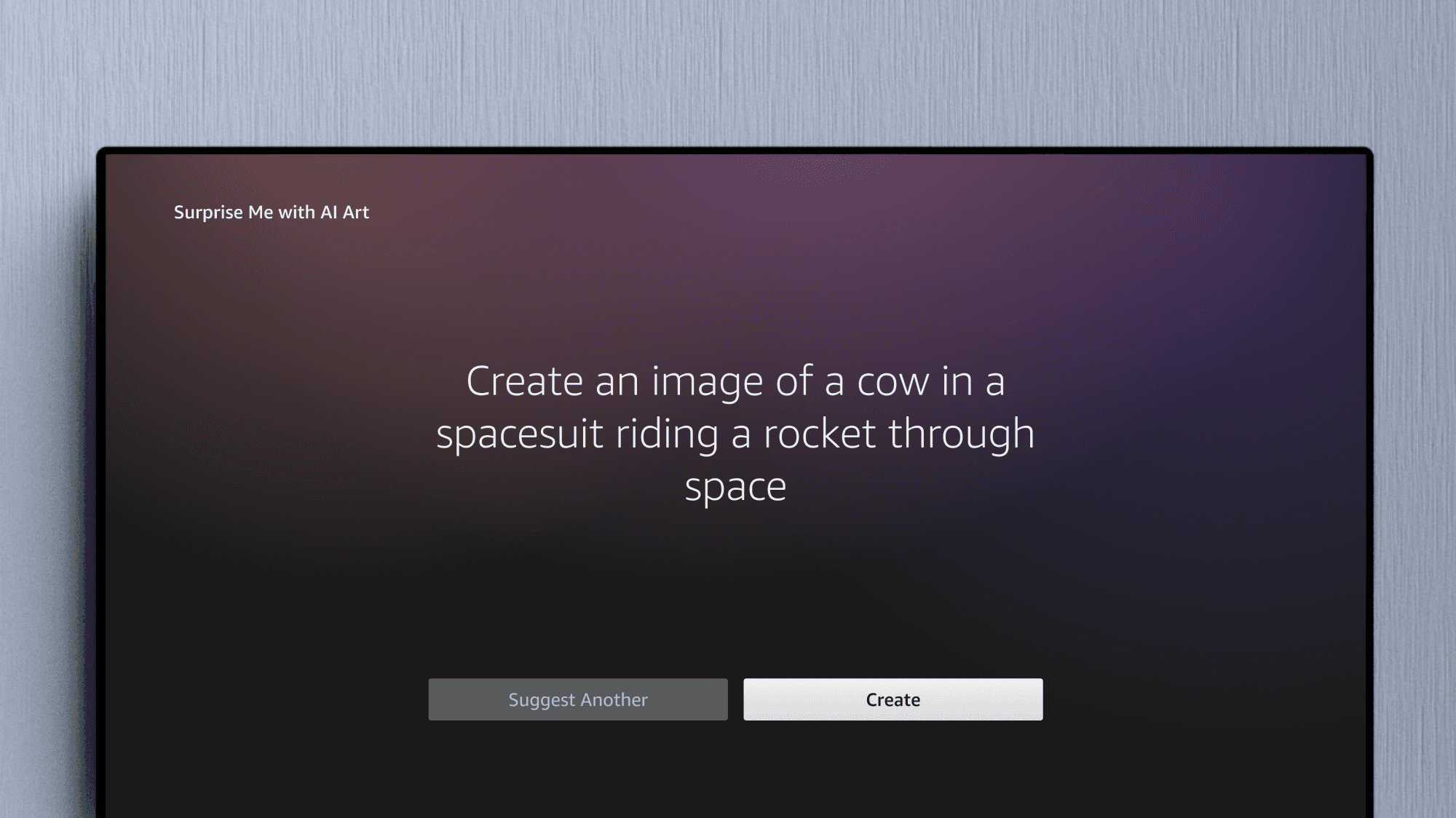
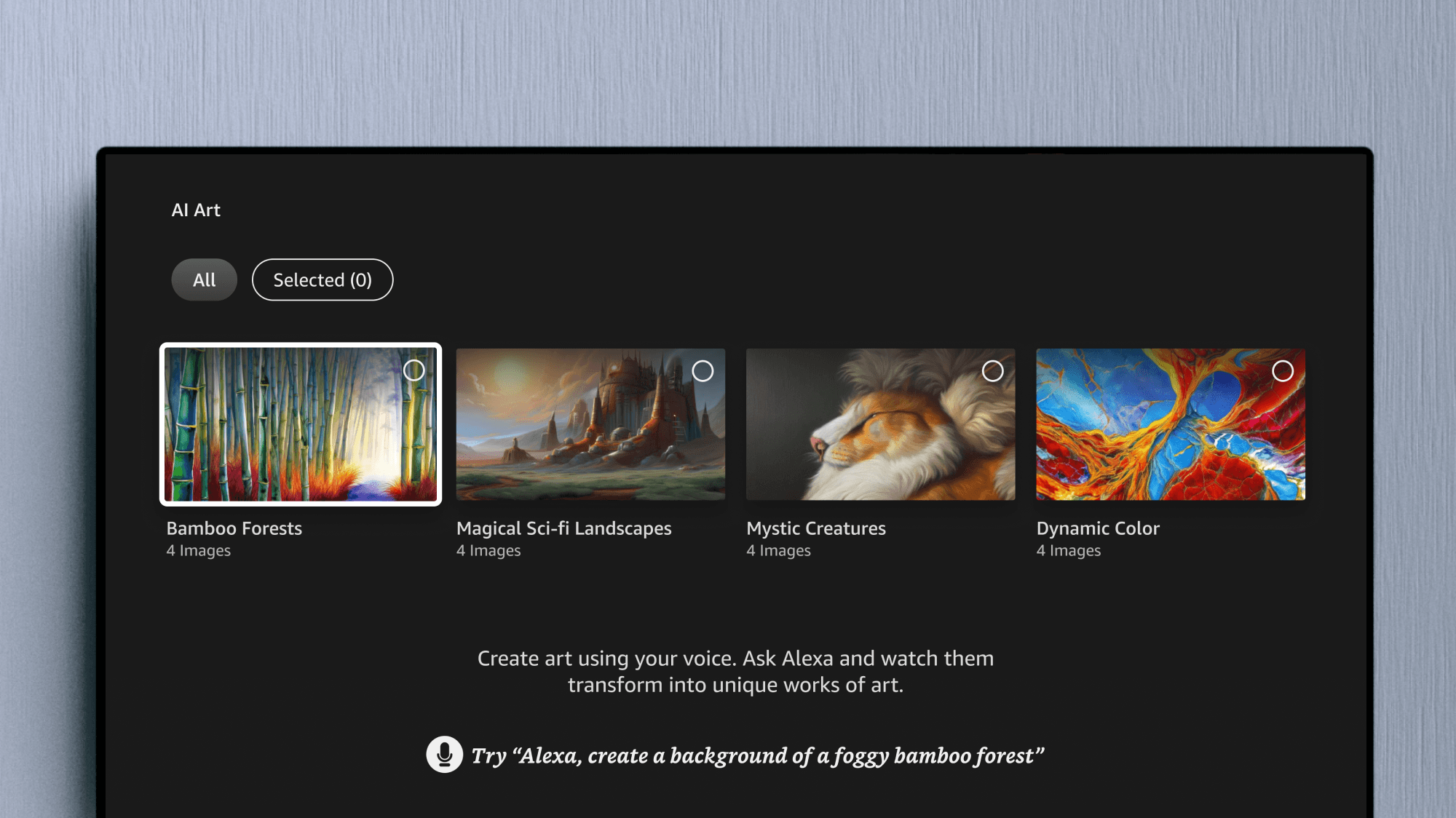
Ambient Settings & Preferences
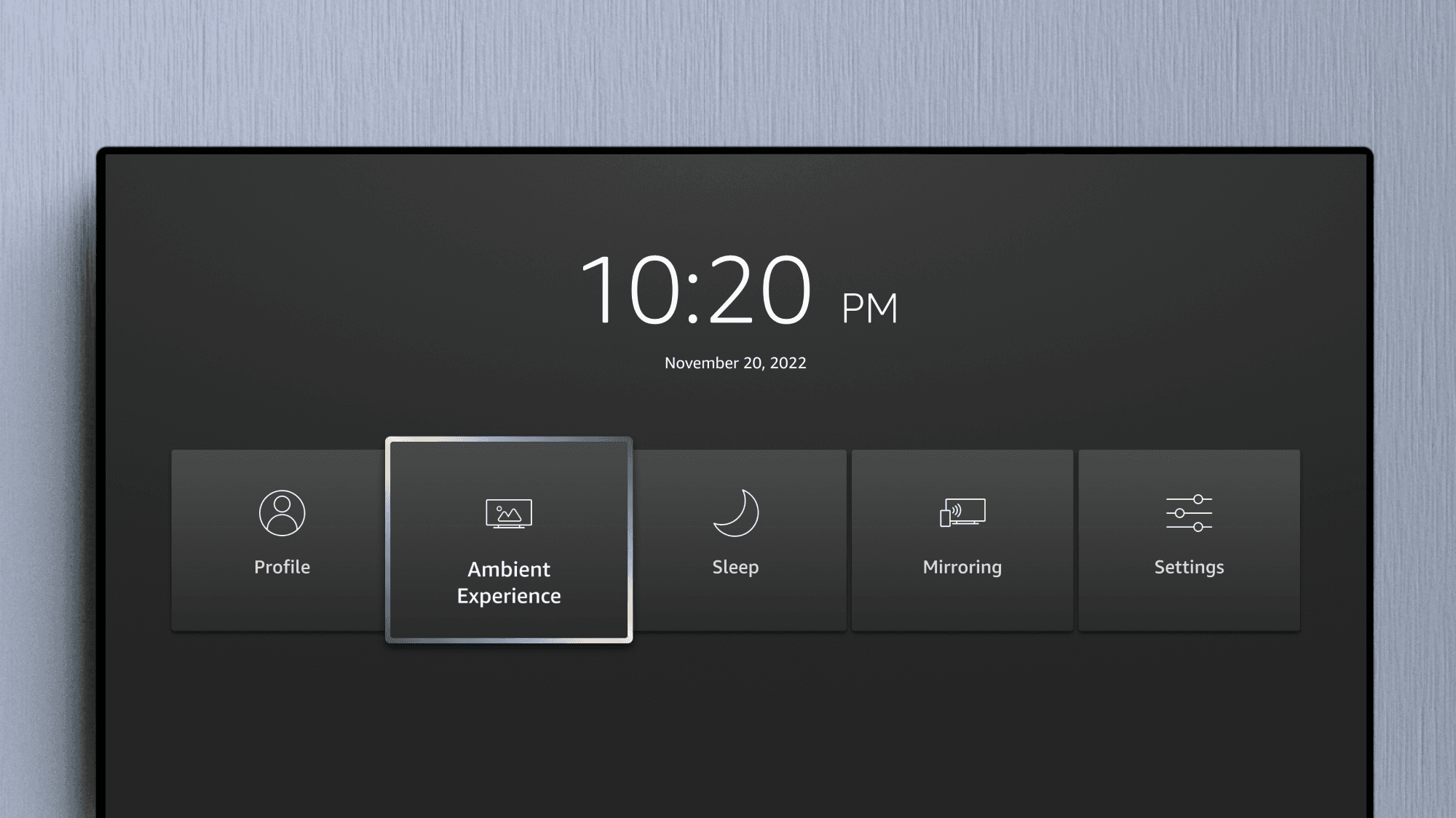
Ambient mode first launched with limited customization settings for Art Mode, but among the offered was the ability to toggle borders styles, minimize layout visuals, and set display hours. I built custom components and explored new iconography for easy navigation through Fire TV Settings patterns.
Delivering Specs for AI Art Mode
I developed visuals for the remainder of the experience, which included new key screens, latency patterns, onboarding screens for specific Fire TV devices, tile art, and even widget designs. Designs were incorporated into the Ambient folders for delivery, and I worked hard to even improve areas of communication for the engineering teams — learning from each spec I delivered for Ambient.
This project gave me valuable experience learning how to distill new generative AI technology into a digestible feature for a Fire TV product. It’s so satisfying building innovative features and watching them grow!
Oscar (Qiyuan) Li
Lead UX Designer
Preksha Shukla
UX Designer
Jeremiah Whittaker
My manager ദ്ദി ˉ͈̀꒳ˉ͈́ )✧
Thank you!
Maintaining Core Experiences: Settings & OOBE
Other areas of responsibility, outside of feature development.
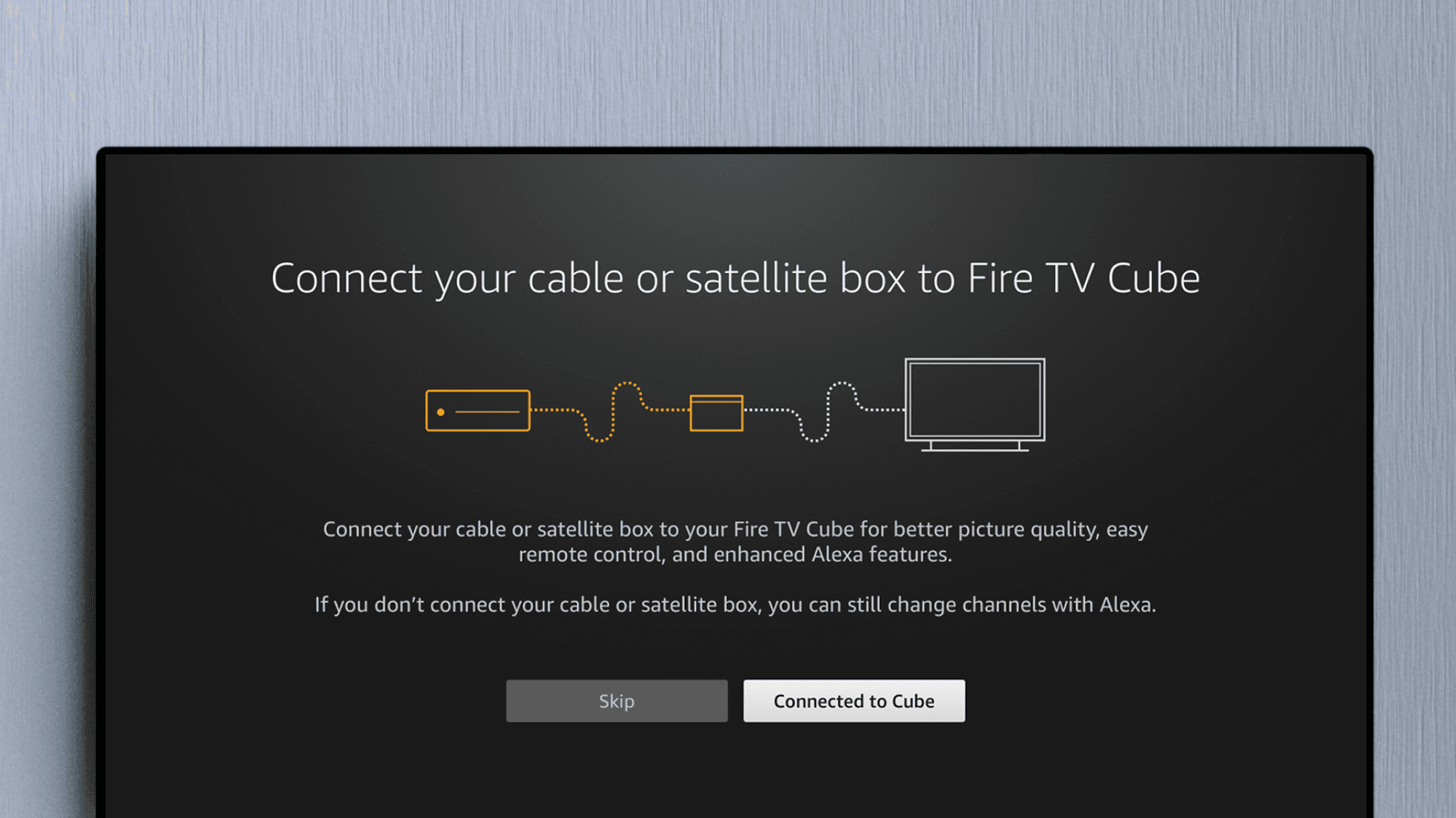
My primary focus — as one of three visual designers owning areas on Fire TV — was Settings and OOBE (Out of Box Experiences). Working alongside design and engineering, I created visual interaction specifications for new user experiences pertaining to these areas.
OOBE experiences were especially important. With so many different devices and partners that feed into Fire TV, I needed to make sure that all new onboarding user flows were smooth and aligned with our design system. New concepts that came down the pipeline were vetted by myself for visual approval and development of the final specifications to engineers.
Migrated the team’s entire design system library from Sketch to Figma, and maintained Settings & OOBE template specs for team usage.
Migrated & owned:
12
Template specs
Adopted by:
100%
Fire TV UX team members